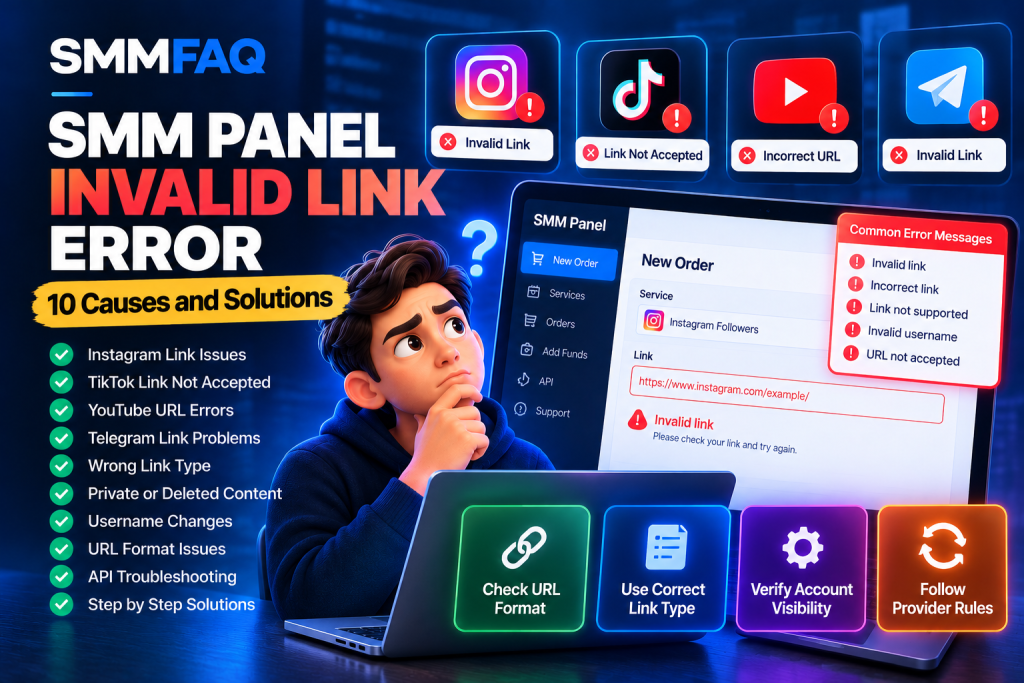
An SMM panel invalid link error can prevent an order from being submitted, cause an API request to fail, or leave customers confused about why an apparently correct social media URL was rejected.
You copy an Instagram profile link, TikTok video URL, YouTube channel address, or Telegram invitation link into an SMM panel. Instead of accepting the order, the system displays a message such as:
- Invalid link
- Incorrect link
- Invalid URL
- Invalid username
- Link not supported
- Please check your link
Why does this happen, even when the link opens normally in your browser?
Quick answer: SMM panel invalid link errors usually occur because the submitted URL does not match the selected service’s requirements, the account or content is inaccessible, the username has changed, the URL contains unsupported parameters, or the provider’s API rejects a particular target format.
Importantly, a link can be valid in a browser but still be invalid for a specific SMM service.
This guide explains 10 common causes of invalid link errors, how to identify the problem across Instagram, TikTok, YouTube, and Telegram, and what developers should check when an upstream SMM API rejects a URL.
For general integration issues, also see SMM Panel API Errors: 12 Common Problems and How to Fix Them.
What Does Invalid Link Mean in an SMM Panel?
An invalid link message generally means the SMM panel or its upstream provider cannot accept the submitted target for the selected operation.
There are several distinct types of validation failure.
URL syntax validation: The submitted text may not be a properly structured URL.
Platform validation: The URL may point to a different social media platform than the selected service.
Content-type validation: The URL may identify a profile when the service expects a video or post.
Access validation: The account or content may be private, deleted, restricted, or unavailable.
Provider validation: The upstream provider may support only particular URL formats.
These checks are not standardized across every SMM panel.
Some providers validate URLs immediately when an order is submitted. Others may accept the request and detect an issue later.
For developers, this distinction matters because an accepted order request does not guarantee that the target can ultimately be processed.
SMM Panel Invalid Link Errors: Quick Reference
| Problem | Possible explanation | What to check |
|---|---|---|
| Invalid link | Unsupported target | Selected service requirements |
| Incorrect URL | Malformed address | URL structure |
| Invalid username | Changed or unavailable username | Current public profile |
| Link not supported | Wrong URL type | Profile vs post or video |
| Private account | Restricted access | Account visibility |
| Content not found | Deleted or unavailable content | Target availability |
| Invalid domain | Wrong platform or hostname | Actual website hostname |
| Redirect error | Unsupported shortened URL | Final destination |
| Invalid link parameter | Malformed API submission | Request encoding |
| Link already in use | Provider-specific duplicate restriction | Existing orders |
A provider may use different wording for the same underlying issue.
The original API response is often more useful than a generic customer-facing error message.
1. Wrong Link Type for the Selected Service
One of the most common causes is submitting the wrong type of link.
For example, a service designed for Instagram profile-related operations may expect a profile URL.
A service associated with an Instagram Reel may expect the URL of an individual Reel instead.
Although both links belong to Instagram, they identify different resources.
Example
Instagram profile URL:
Instagram post URL:
Instagram Reel URL:
These are illustrative URL formats, not actual verified content.
A service that expects a post URL may reject the profile URL.
How to Fix It
Check the selected service description before submitting a link.
Determine whether it expects a:
- Profile
- Post
- Reel
- Video
- Channel
- Group
- Message
Copy the target address from the relevant content rather than assuming every link from the same platform is interchangeable.
Key takeaway: The selected service determines the required target type.
2. Incorrect or Incomplete URL Format
A link may be rejected because it contains a formatting error.
Examples include:
- Missing characters
- Extra spaces
- Copied punctuation
- Unsupported URL structure
- Missing content identifiers
- Accidental line breaks
- Incorrect hostname
For example:
instagram.com/exampleaccount
is a recognizable web address, but a strict API validator may require a complete HTTPS URL.
Another common issue occurs when punctuation is accidentally included during copying.
A URL copied from a document might contain a trailing comma or closing bracket.
How to Fix It
Copy the link directly from the social media platform.
Check that it contains the necessary parts and opens the intended target.
Remove accidental whitespace and unrelated surrounding characters.
Do not manually invent missing post IDs or modify identifiers without knowing the correct target.
3. The Account or Content Is Private
Some service workflows require publicly accessible content.
A profile may exist and be visible to its owner while remaining inaccessible to an external system.
This can happen when:
- The account is private.
- Content is restricted to approved followers.
- The profile requires login to access particular information.
- The content is restricted by age or region.
- The provider cannot retrieve the expected public data.
How to Fix It
Review the access requirements in the service description.
Determine whether the target is publicly accessible without relying on your personal login session.
If it is private, the selected service may not support it.
Do not share passwords, login codes, or account recovery information with a third-party panel.
Changing privacy settings simply to satisfy an unrelated service may create unwanted exposure. Consider whether the service is appropriate for the account before making such a change.
4. The Username Has Changed
Many social platforms allow users to change their public usernames.
This can affect links that rely on username-based addressing.
For example:
Previous username: oldexample
Current username: newexample
A stored link referring to the previous username may no longer identify the intended account.
Some platforms automatically redirect old URLs, while others do not.
A provider may also validate the original URL without following redirects.
How to Fix It
Open the current profile directly.
Copy its updated public address.
Check whether the SMM service requires a username rather than a complete URL.
If an order has already been placed, contact support before attempting to change its target.
Some providers do not support editing the link after order creation.
Username changes may also affect refill eligibility under certain service conditions.
For more information, read What Does Refill Mean in an SMM Panel?.
5. The Post, Video, or Account Was Deleted
An SMM panel may reject a link when the target no longer exists.
Possible causes include:
- A deleted Instagram post
- A removed TikTok video
- An unavailable YouTube video
- A deleted Telegram message
- A suspended social media account
- A removed channel or group
Sometimes the link continues to appear in search results or cached previews even after the content is no longer available.
How to Fix It
Verify that the target still exists on the original platform.
Confirm that it is the intended resource.
If the content is unavailable, submitting the same link repeatedly is unlikely to solve the underlying issue.
If an order already exists, use the panel’s official support procedure to request clarification about its status and applicable cancellation rules.
6. The Link Contains Unsupported Tracking Parameters
Social media URLs frequently include query parameters added by sharing tools, advertising systems, or mobile applications.
These parameters may contain information such as referral context or tracking identifiers.
For example:
Some validators accept the complete URL.
Others expect a simpler canonical format.
How to Fix It
Check whether the service supports the original shared URL.
Where appropriate, use the clean canonical address provided by the platform.
For example:
Avoid removing parameters blindly from links where those parameters identify essential content or affect access.
Developers should distinguish between optional tracking parameters and required identifiers.
Important: Removing query parameters may resolve some validation problems, but it is not a universal fix.
7. TikTok Short Links and Redirect Problems
TikTok frequently uses share URLs that can redirect to another address.
A shortened link may be valid for a human user while failing a provider’s URL validation.
For example, the difference may involve:
Share link format:
Full video URL format:
These are structural examples only.
Some providers support short links directly.
Others require the full destination URL.
How to Fix It
Check the target type required by the service.
If the provider does not support shortened links, use the platform’s official sharing tools or an authorized method to obtain the full target URL.
Ensure the video is still accessible and matches the selected service.
Do not use untrusted URL-expansion tools that request TikTok credentials.
For developers, automatic redirect resolution must include protections against server-side request forgery and requests to private network destinations.
8. YouTube Video, Shorts, and Channel URL Differences
YouTube uses several URL formats to identify different resources.
Examples include:
Standard video:
Shortened video:
YouTube Shorts:
Channel handle:
Different services may support different formats.
A provider expecting a video URL may reject a channel URL.
Some older integrations may not recognize newer URL structures even when they are valid on YouTube.
How to Fix It
Identify whether the selected service expects a video, Short, or channel.
Use the link format documented by that provider.
If a valid YouTube link is consistently rejected, contact the provider and ask whether the relevant format is supported.
Do not assume that every YouTube service accepts all official YouTube URL variations.
Platform policy reminder: YouTube prohibits artificial engagement that violates its fake engagement policy. A URL being technically accepted does not mean the corresponding service complies with platform rules.
Official reference: YouTube Fake Engagement Policy.
9. Telegram Channel, Group, or Invitation Link Problems
Telegram links can identify public channels, groups, individual messages, or invitation-based destinations.
Examples include:
Public channel:
Public message:
Private invitation format:
These links serve different purposes.
A service expecting a public channel username may reject a message URL.
A provider may also reject private invitations or links requiring additional permissions.
How to Fix It
Check whether the selected service requires:
- A public channel username
- A public group address
- A specific message link
- A supported invitation URL
Verify that the target still exists and the invitation has not expired or been revoked.
Do not assume that a private invitation link is supported simply because it opens in your Telegram application.
Some provider systems only accept publicly resolvable targets.
10. The Provider API Receives an Incorrectly Encoded Link
Sometimes the original URL is correct, but the application sends it incorrectly.
This problem is especially relevant for SMM panel resellers using third-party APIs.
Common causes include:
- Missing
linkparameter - Incorrect form encoding
- Double URL encoding
- Truncated query strings
- Incorrect character handling
- Empty values after validation
- Wrong request content type
- Incorrect service-to-provider mapping
Example of an API Error
An upstream provider might return:
{
  "error": "Invalid link"
}
This does not necessarily mean the customer entered an invalid URL.
The reseller application may have modified or incorrectly transmitted the submitted value.
How to Fix It
Developers should compare the original submitted target with the value passed to the upstream API.
Do not log sensitive information unnecessarily.
Confirm the provider’s expected request encoding and field names.
When a provider expects form-encoded POST fields, use the language’s standard encoding library rather than manually constructing query strings.
For general API troubleshooting, read What Is an SMM Panel API? and SMM Panel API Errors.
Instagram, TikTok, YouTube, and Telegram Link Comparison
The following table provides a quick overview of common structural differences.
| Platform | Profile or channel | Post or video | Common validation concern |
|---|---|---|---|
/username/ | /p/ID/, /reel/ID/ | Wrong target type | |
| TikTok | /@username | /@username/video/ID | Short links and redirects |
| YouTube | /@channel | /watch?v=ID, /shorts/ID | Channel vs video |
| Telegram | t.me/channel | t.me/channel/ID | Public vs private links |
These are simplified URL patterns. Real formats and access rules can change.
This table should be used to recognize link types, not as a guarantee that a third-party provider accepts a particular URL.
How to Troubleshoot an Invalid Link Error Step by Step
Before creating another order, follow this diagnostic checklist.
| Step | Action | Purpose |
|---|---|---|
| 1 | Check the selected service | Confirm the correct platform and target type |
| 2 | Copy the target again | Eliminate copying mistakes |
| 3 | Inspect the URL structure | Identify malformed addresses |
| 4 | Check content availability | Confirm the target still exists |
| 5 | Review privacy restrictions | Identify inaccessible accounts |
| 6 | Check username changes | Find outdated addresses |
| 7 | Review short links and redirects | Identify unsupported URL formats |
| 8 | Examine service instructions | Find provider-specific limitations |
| 9 | Review existing orders | Avoid duplicates |
| 10 | Contact support if unresolved | Request investigation with the original error |
If an order has already been accepted, do not automatically submit a second order to the same target.
A provider may have accepted the original request before reporting a later validation issue.
For more information, see SMM Panel Order Stuck in Processing? 9 Common Causes and Solutions.
Why Does a Link Work in the Browser but Fail in an SMM API?
This is a common source of confusion.
A browser typically attempts to open a URL using the platform’s own routing, redirects, and application behavior.
A third-party API may instead apply a restricted validation rule.
For example:
Browser behavior: A shortened link redirects successfully to a video.
API behavior: The provider rejects shortened links and expects a full video URL.
Or:
Browser behavior: A private profile opens because the user is logged in.
API behavior: The provider cannot access the profile without authorization.
Another possibility is that the local panel’s validation rules are outdated.
Developers should therefore distinguish between:
URL validity: Is the address structurally meaningful?
Target accessibility: Can the required resource be accessed?
Service compatibility: Does the selected operation support this target?
A URL can pass one test and fail another.
Can You Edit an SMM Order After Submitting an Invalid Link?
Not always.
Many provider APIs treat the submitted target as part of an immutable order record.
Once the order is accepted, editing the original URL may be unsupported.
If the customer submitted an incorrect target, the panel may need to investigate cancellation eligibility.
However, a visible Cancel button does not guarantee that the provider can cancel an order that has already started.
Do not automatically create a replacement order until the original order’s status is resolved.
This is especially important when the upstream API response was delayed or the dashboard may contain stale information.
How SMMFAQ Helps Researchers Compare SMM Services
SMMFAQ provides a research-focused service database and educational guides.
The SMMFAQ Service Comparison Database makes available catalog information easier to inspect.
Depending on the provider records, researchers can compare:
- Provider name
- Service ID
- Service category
- Price per 1,000
- Minimum quantity
- Maximum quantity
- Refill support
- Cancellation support
- Catalog update information
These fields help readers understand differences between published service listings.
However, SMMFAQ does not independently validate every social media link or troubleshoot private third-party orders.
A successful catalog synchronization also does not prove that any particular service is currently fulfilling orders.
To understand common upstream API problems, visit the SMM Panel API Errors Guide.
For processing delays, read SMM Panel Order Stuck in Processing.
The distinction between catalog data and actual service performance is important when researching providers.
Frequently Asked Questions
Why does my SMM panel say Invalid Link?
The submitted target may have an incorrect format, unsupported URL type, changed username, deleted content, privacy restriction, or provider-specific validation problem.
How do I fix an Instagram Invalid Link error?
Confirm whether the service expects a profile, post, or Reel. Copy the current URL, check accessibility, and review the provider’s supported formats.
Why is my TikTok link not accepted by an SMM panel?
Possible explanations include an unsupported shortened URL, invalid video identifier, deleted content, privacy restrictions, or incorrect service selection.
Why is my YouTube URL showing as invalid?
The provider may expect a video rather than a channel, or it may not support the submitted Shorts or shortened-link format.
Can Telegram private invitation links cause Invalid Link errors?
Yes. Some services support only public channel or group addresses and may reject private invitations.
Does Invalid Link always mean the URL is broken?
No. A working URL may still be incompatible with the selected service or the provider’s validation system.
Can I fix an Invalid Link error by removing tracking parameters?
Sometimes. Optional tracking parameters can interfere with strict validation, but removing parameters is not a universal solution.
Can I change an incorrect link after placing an order?
Some providers do not allow post-submission edits. Check the panel’s official support and cancellation procedure before submitting another order.
Can API encoding cause Invalid Link errors?
Yes. Incorrect parameter encoding, missing fields, double encoding, and service-mapping errors can cause a valid customer URL to be rejected upstream.
Should I retry an order immediately after an Invalid Link error?
First determine whether the original order was actually rejected. If the request outcome is uncertain, investigate before retrying to avoid duplicates.
Final Thoughts: Identify the Real Cause of an Invalid Link Error
An SMM panel invalid link error does not always mean the social media URL is broken.
The cause may involve the selected service, URL type, account accessibility, platform-specific link structure, changed usernames, or upstream API validation.
The most effective approach is to separate three questions:
Is the URL structurally valid?
Does the target exist and satisfy the required access conditions?
Does the selected provider service support that target format?
For developers, request encoding and service mapping introduce additional considerations.
Before retrying any order, verify whether the initial request was rejected or accepted.
Finally, remember that technical link compatibility does not establish whether a service complies with the social platform’s rules. Artificial engagement services may violate platform policies regardless of whether a URL is accepted.
For additional research, explore the SMMFAQ Service Comparison Database, What Is an SMM Panel API?, and SMM Panel API Errors Guide.
Last reviewed: October 16, 2026.
Editorial note: This guide is provided for technical education and authorized troubleshooting. URL structures and provider rules can change. The examples are illustrative and do not represent verified live social media accounts.