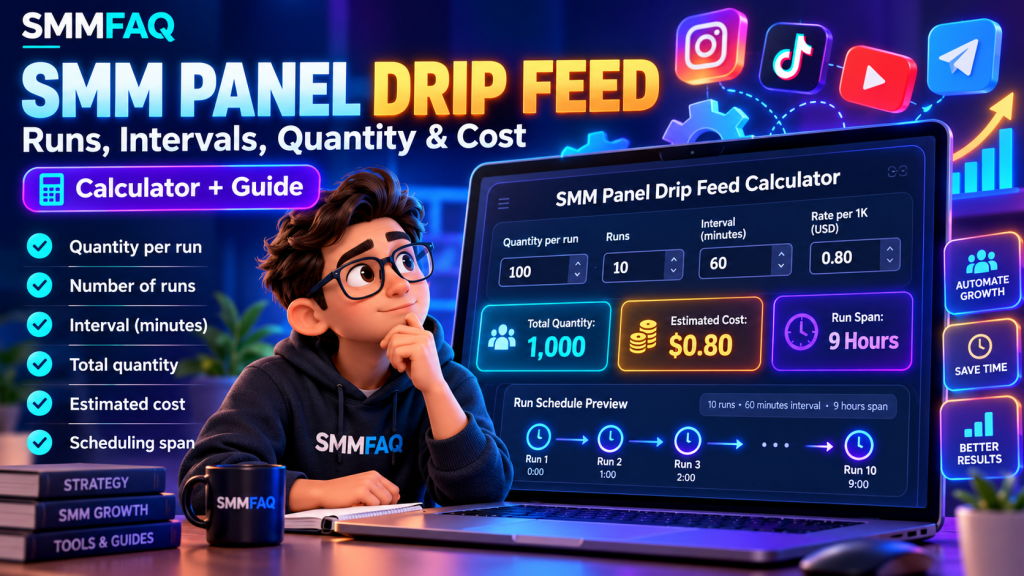
Drip Feed in an SMM panel is an order scheduling feature that divides a requested service into multiple batches delivered at configured intervals instead of requesting the entire quantity in one batch.
If you have ever seen the fields Quantity, Runs, and Interval while reviewing an SMM service, you may have wondered how they work together.
For example, what happens when you enter:
- Quantity: 100
- Runs: 10
- Interval: 60
Does that mean 100 units in total or 1,000 units? Does the order take 60 minutes or 10 hours? How much will the panel charge?
Understanding these differences is important because incorrect settings can lead to unexpected quantities and charges.
Quick answer: In the common SMM API drip-feed model, Quantity represents the number of units in each batch, Runs represents the number of batches, and Interval represents the number of minutes between scheduled runs. Total quantity is calculated by multiplying Quantity by Runs. For example, 100 units per run across 10 runs gives a planned total of 1,000 units.
However, drip-feed availability, scheduling behavior, pricing, and cancellation conditions depend on the provider.
This guide explains how drip feed works, demonstrates practical calculations, covers common mistakes, and shows how resellers can interpret drip-feed parameters in SMM APIs.
What Does Drip Feed Mean in an SMM Panel?
Drip Feed is a scheduling method that divides one requested quantity into smaller, repeated batches.
Instead of requesting an entire amount through one immediate order, the user specifies a batch quantity and how often subsequent batches should be scheduled.
The term comes from the idea of distributing something gradually rather than all at once.
In conventional SMM panel software, drip-feed ordering commonly uses three fields:
| Parameter | Meaning |
|---|---|
| Quantity | Number of units requested in each run |
| Runs | Number of scheduled batches |
| Interval | Time between runs, usually in minutes |
These are scheduling parameters, not guarantees of fulfillment.
A configured run may start late, fail, or remain in a processing queue depending on provider conditions.
Drip feed is also not supported by every SMM service.
To understand the underlying order systems, read What Is an SMM Panel API?.
How Does SMM Panel Drip Feed Work?
A simplified drip-feed workflow looks like this:
Order Created → Run 1 → Interval → Run 2 → Interval → Run 3 → Final Run
Consider a hypothetical order with these settings:
Quantity: 200
Runs: 5
Interval: 120 minutes
Under the common per-run quantity model, the order consists of five batches of 200 units.
The total requested quantity is:
200 × 5 = 1,000 units
The interval of 120 minutes means that consecutive runs are scheduled two hours apart.
If the provider schedules the first run immediately, the nominal start times might be:
| Run | Scheduled offset | Batch quantity |
|---|---|---|
| 1 | 0 hours | 200 |
| 2 | 2 hours | 200 |
| 3 | 4 hours | 200 |
| 4 | 6 hours | 200 |
| 5 | 8 hours | 200 |
| Total | 5 runs | 1,000 |
This schedule is illustrative.
The first run may not actually start immediately, and individual batches can require additional fulfillment time.
Therefore, the last scheduled run time should not be confused with guaranteed order completion.
What Is Quantity in Drip Feed?
Quantity usually represents the amount requested during each individual run.
This is one of the most frequently misunderstood fields.
For an ordinary order, Quantity commonly describes the total requested amount.
For a drip-feed order, the same field can represent the amount per batch.
Consider the difference:
Normal order
Quantity = 1,000
Total requested = 1,000
Drip-feed order
Quantity = 1,000
Runs = 10
Total requested = 10,000
The second configuration requests ten times the quantity of the first.
This difference can substantially affect the final charge.
Always check the provider’s specific implementation before submitting a transaction.
What Are Runs in an SMM Panel?
Runs represent the number of scheduled batches in a drip-feed order.
For example:
- 2 runs = 2 batches
- 5 runs = 5 batches
- 10 runs = 10 batches
- 20 runs = 20 batches
The number of runs does not automatically establish how long the entire order will take.
That also depends on the interval and fulfillment behavior.
For a service using the standard per-run model:
Total Quantity = Quantity per Run × Number of Runs
Example: 50 Units Across 12 Runs
Quantity: 50
Runs: 12
Total planned quantity:
50 × 12 = 600 units
If the provider schedules each run at a 60-minute interval, the configured start-to-start gap is one hour.
The provider may still take longer to fulfill individual batches.
What Does Interval Mean in Drip Feed?
Interval is the configured time between scheduled runs.
It is commonly expressed in minutes.
Examples:
| Interval | Time between runs |
|---|---|
| 15 | 15 minutes |
| 30 | 30 minutes |
| 60 | 1 hour |
| 120 | 2 hours |
| 360 | 6 hours |
| 720 | 12 hours |
| 1,440 | 24 hours |
An interval of 1,440 minutes represents a one-day gap between scheduled runs.
However, this does not guarantee that a particular batch finishes before the next scheduled run.
Provider systems may enforce additional rules concerning minimum intervals, maximum runs, or simultaneous processing.
These restrictions should be verified in the current service documentation.
How to Calculate Total Drip-Feed Quantity
Drip Feed Calculator
Calculate scheduled quantity, estimated cost and time between runs.
Enter a positive whole number for quantity, runs and interval, and a non-negative rate.
Estimate only. Assumes the first run starts at time zero and intervals separate run start times. Actual fulfillment and charges depend on the provider.
The basic formula is:
Total Quantity = Quantity × Runs
Let’s compare five hypothetical examples.
| Quantity per run | Runs | Interval | Total planned quantity |
|---|---|---|---|
| 50 | 5 | 60 min | 250 |
| 100 | 10 | 60 min | 1,000 |
| 200 | 5 | 120 min | 1,000 |
| 500 | 8 | 180 min | 4,000 |
| 1,000 | 10 | 1,440 min | 10,000 |
The interval affects the schedule but does not directly change the total requested quantity.
For instance, increasing an interval from 60 to 120 minutes does not double the quantity.
It changes the configured time between batches.
The total remains determined by Quantity multiplied by Runs.
How to Calculate Drip-Feed Order Cost
Many SMM catalogs express service prices as a rate per 1,000 units.
Under that pricing structure, the simplified formula is:
Estimated Cost = (Quantity × Runs ÷ 1,000) × Rate per 1,000
Consider the following example.
Quantity: 100
Runs: 10
Rate per 1,000: $0.80
First calculate the total quantity:
100 × 10 = 1,000
Then calculate the estimated cost:
1,000 ÷ 1,000 × $0.80 = $0.80
Additional Cost Examples
| Quantity | Runs | Total units | Rate / 1K | Estimated cost |
|---|---|---|---|---|
| 100 | 10 | 1,000 | $0.80 | $0.80 |
| 250 | 8 | 2,000 | $1.20 | $2.40 |
| 500 | 10 | 5,000 | $0.60 | $3.00 |
| 1,000 | 5 | 5,000 | $1.50 | $7.50 |
| 200 | 20 | 4,000 | $0.75 | $3.00 |
All rates and calculations in this table are hypothetical.
Actual charges may depend on provider-specific billing models, minimum charges, fees, currencies, and rounding rules.
Some services use fixed package prices rather than rates per 1,000.
Always review the final quoted charge before confirming an order.
You can examine available rate and quantity information in the SMMFAQ Service Comparison Database.
How Long Does a Drip-Feed Order Take?
A drip-feed schedule has two different time concepts.
Scheduled run span: The time between the first and last planned run.
Actual completion time: The time required for the provider to fulfill the entire request.
Under a simple model where the first run is scheduled at time zero:
Scheduled Run Span = (Runs − 1) × Interval
For example:
Runs: 10
Interval: 60 minutes
Scheduled run span:
(10 − 1) × 60 = 540 minutes
That equals 9 hours between the first and last scheduled run.
This differs from describing the order as having ten hourly run slots.
If a provider starts at hour zero, the scheduled starts occur at hours 0, 1, 2, 3, 4, 5, 6, 7, 8, and 9.
The final batch may still be processing after hour 9.
Some providers calculate or display scheduling windows differently.
For that reason, an estimated scheduling span should never be advertised as a guaranteed delivery time.
Drip Feed vs Normal SMM Orders
What is the difference between a normal order and a drip-feed order?
| Feature | Normal order | Drip-feed order |
|---|---|---|
| Requested amount | Usually one total quantity | Quantity per run × runs |
| Scheduling | One order without scheduled batches | Multiple planned batches |
| Interval parameter | Usually not required | Commonly required |
| Runs parameter | Usually not required | Commonly required |
| Total cost | Based on requested quantity | Often based on total across runs |
| API behavior | Standard order fields | Additional scheduling fields |
| Availability | Depends on service | Requires drip-feed support |
Neither method guarantees fulfillment quality, retention, or compliance with social platform policies.
Drip feed changes the requested scheduling structure.
It does not automatically change the origin or authenticity of the engagement involved.
How to Check Whether an SMM Service Supports Drip Feed
Not every service allows drip-feed scheduling.
Some SMM APIs expose an optional field called dripfeed in their service catalog.
An illustrative service response might contain:
{
  "service": 123,
  "name": "Example Service",
  "type": "Default",
  "rate": "0.80",
  "min": "50",
  "max": "50000",
  "dripfeed": true,
  "refill": false,
  "cancel": true
}
Here, dripfeed: true indicates advertised support in the hypothetical provider’s API.
However, this field is not universally available or consistently implemented.
Some APIs omit it entirely.
Other providers may impose restrictions on the number of runs or allowed intervals.
A provider might require a minimum interval even when drip feed is technically supported.
Important: Do not assume that a service supports drip feed merely because the panel has a general Drip Feed option.
Always verify the individual service’s current conditions.
SMM Panel Drip Feed API Parameters Explained
For developers working with conventional SMM API v2-style systems, drip feed often uses the standard order-creation action with two additional parameters:
runs and interval
An illustrative JSON representation is:
{
  "key": "YOUR_API_KEY",
  "action": "add",
  "service": 123,
  "link": "https://example.com/target",
  "quantity": 100,
  "runs": 10,
  "interval": 60
}
This example represents a request structure, not an actual submitted order.
Under the conventional interpretation:
quantity: 100means 100 units per run.runs: 10means 10 scheduled batches.interval: 60means 60 minutes between runs.- Total planned quantity is 1,000 units.
The actual HTTP encoding depends on the provider.
Some APIs expect form-encoded POST fields rather than JSON.
What Should Developers Validate?
Before presenting a drip-feed request to a provider, an authorized integration should validate:
- Whether the service supports drip feed.
- Whether Quantity is within the applicable limits.
- Whether Runs is permitted.
- Whether Interval is permitted.
- Whether total quantity is within any provider-defined cap.
- Whether the expected total charge is correct.
- Whether the target satisfies the service requirements.
- Whether a previous submission already exists.
The total quantity, not merely the per-run quantity, deserves attention when evaluating cost exposure.
However, providers may apply minimum and maximum limits per run, per order, or under additional rules.
There is no universal interpretation of all service limits.
For general API concepts, visit What Is an SMM Panel API?.
7 Common Drip-Feed Mistakes
1. Confusing Quantity with Total Quantity
This is a major cause of unexpected charges.
Entering Quantity 1,000 and Runs 10 may result in a planned quantity of 10,000, not 1,000.
Always calculate the full amount first.
2. Entering the Wrong Interval Unit
In many conventional APIs, Interval is expressed in minutes rather than hours.
For example, entering 24 usually means 24 minutes, not 24 hours.
If the intended spacing is one day, the equivalent value is commonly 1,440 minutes.
3. Assuming Every Service Supports Drip Feed
Some services support the feature; others do not.
An unsupported combination can return a validation error.
4. Assuming Scheduling Means Guaranteed Completion
Runs are scheduled batches, not guaranteed completed deliveries.
Provider queues, interruptions, and fulfillment delays can change the actual result.
5. Ignoring Provider Limits
The provider may restrict minimum quantity, maximum quantity, run count, or allowed intervals.
Restrictions vary by implementation.
6. Forgetting to Check Total Cost
The final amount can be much higher than expected if the interface displays a per-run quantity.
Review the full quantity and charge before confirmation.
7. Assuming Drip Feed Guarantees Account Safety
Drip-feed scheduling does not make artificial engagement inherently legitimate or compliant with platform policies.
It only changes how requests are divided over time.
Users should independently evaluate the nature of the service and applicable social network rules.
Does Drip Feed Prevent Follower Drops?
No.
Drip feed does not guarantee that followers, likes, views, or other metrics will remain permanently visible.
Retention depends on multiple factors, including the underlying service, account behavior, and platform enforcement.
Dividing a request into batches does not transform artificial engagement into authentic user interest.
Likewise, drip feed should not be confused with refill.
Drip feed: A scheduling feature that divides a request into batches.
Refill: A provider-defined mechanism that may replace eligible quantity losses after delivery.
A service may support both, one, or neither.
Read What Does Refill Mean in an SMM Panel? for additional information.
Can You Cancel a Drip-Feed Order?
Cancellation depends on the provider and the order’s processing state.
Some services offer a cancellation feature, but that does not mean every scheduled run can be canceled at any moment.
For example, cancellation may be limited once fulfillment begins.
A provider may also handle cancellation of the remaining scheduled runs differently from cancellation of an ordinary order.
The customer’s financial adjustment, if any, depends on the provider’s terms and confirmed order outcome.
Avoid assuming that unused future batches will automatically produce an immediate refund.
For more information about cancellation rules, see What Does Cancel Mean in an SMM Panel?.
Why Was My Drip-Feed Order Rejected?
A drip-feed request may be rejected because:
- The selected service does not support drip feed.
- Quantity is below the minimum.
- Quantity exceeds the maximum.
- Runs exceeds the provider’s limit.
- Interval is too short or otherwise invalid.
- The request contains missing parameters.
- The target link is unsupported.
- The provider balance is insufficient.
- The service is temporarily unavailable.
An API may return a response such as:
{
  "error": "Invalid interval"
}
This is an illustrative error. Exact wording varies by provider.
For developers, the best troubleshooting approach is to inspect the provider’s documented requirements and actual response.
If a previous request timed out, determine whether the original order was accepted before attempting another submission.
Blindly retrying order-creation requests can create duplicate orders.
For related problems, read SMM Panel API Errors: 12 Common Problems and How to Fix Them.
Drip Feed vs Subscription Services
Drip feed and subscriptions are sometimes confused because both may involve multiple deliveries.
However, the underlying order logic can differ.
Drip-feed orders usually consist of a predefined number of scheduled batches.
Subscription services may use recurring conditions, new-post detection, expiration settings, or other ongoing triggers.
For example, a subscription service might monitor eligible new content according to its terms rather than scheduling a fixed number of batches against one existing target.
These models can require different API parameters and have different billing implications.
Do not treat subscription and drip-feed fields as interchangeable.
How SMMFAQ Helps With SMM Service Research
SMMFAQ is an independent research website focused on comparing published SMM service information and explaining provider terminology.
Through the SMMFAQ Service Comparison Database, readers can research fields such as:
- Provider
- Service ID
- Category
- Rate per 1,000
- Minimum and maximum quantity
- Refill availability
- Cancellation availability
- Catalog update information
Drip-feed support is not necessarily exposed in every synchronized catalog.
For that reason, readers should verify the feature through the selected provider’s current documentation rather than assuming all listings support it.
The SMMFAQ Provider Directory provides additional supplier context, while the SMM Panel API Guide explains common integration structures.
A provider’s catalog listing is not an independent certification of service quality, fulfillment performance, or platform compliance.
Frequently Asked Questions About SMM Drip Feed
What is drip feed in an SMM panel?
Drip feed divides a requested quantity into multiple scheduled batches. Users typically configure the quantity per run, number of runs, and interval between runs.
What are Runs in SMM drip feed?
Runs represent the number of scheduled batches. Under the standard model, 10 runs means the system schedules 10 batches.
What does Interval 60 mean?
In most conventional SMM drip-feed APIs, Interval 60 means 60 minutes between scheduled runs.
Is Drip Feed Quantity the total amount?
Usually not. In common SMM API implementations, Quantity represents the amount per run. Total Quantity equals Quantity multiplied by Runs.
What does Quantity 100 and Runs 10 mean?
It normally means 100 units per run across 10 scheduled batches, producing a planned total of 1,000 units.
How is drip-feed cost calculated?
For services priced per 1,000, a common estimate is (Quantity × Runs ÷ 1,000) × Rate. Actual provider billing rules may differ.
Does drip feed guarantee gradual delivery?
It schedules repeated batches, but actual delivery timing can vary with queues and provider performance.
Is drip feed safer for Instagram or TikTok?
Drip feed is not a guarantee of account safety or policy compliance. Scheduling does not remove the risks associated with artificial engagement.
Can I cancel drip feed after it starts?
Sometimes, depending on the provider’s cancellation capability and current order state. Cancellation should not be assumed to be universally available.
Is drip feed the same as refill?
No. Drip feed schedules batches, while refill may replace eligible losses according to service conditions.
Why is my drip-feed order showing an error?
Common causes include unsupported service features, invalid runs or interval values, quantity limits, insufficient funds, and API request errors.
Does every SMM panel have drip feed?
No. Feature availability varies by panel, provider, service, and API implementation.
Final Thoughts: Calculate Before Scheduling
Understanding SMM panel drip feed requires more than knowing that an order is divided into smaller batches.
The most important fields are:
Quantity: The amount requested per run.
Runs: The number of scheduled batches.
Interval: The configured time between scheduled runs.
In the common implementation:
Total Quantity = Quantity × Runs
And where the service uses pricing per 1,000:
Estimated Cost = Total Quantity ÷ 1,000 × Rate
Before relying on any drip-feed configuration, verify the provider’s specific limits, pricing model, and cancellation conditions.
Remember that scheduling changes do not guarantee successful delivery, permanent retention, or compliance with social platform policies.
For additional research, explore the SMMFAQ Services Database, review What Is an SMM Panel API?, or browse the SMM Panel FAQs.
Last reviewed: October 16, 2026.
Editorial note: This guide is provided for educational and technical research. All numerical examples are hypothetical. Provider capabilities and scheduling rules may change.