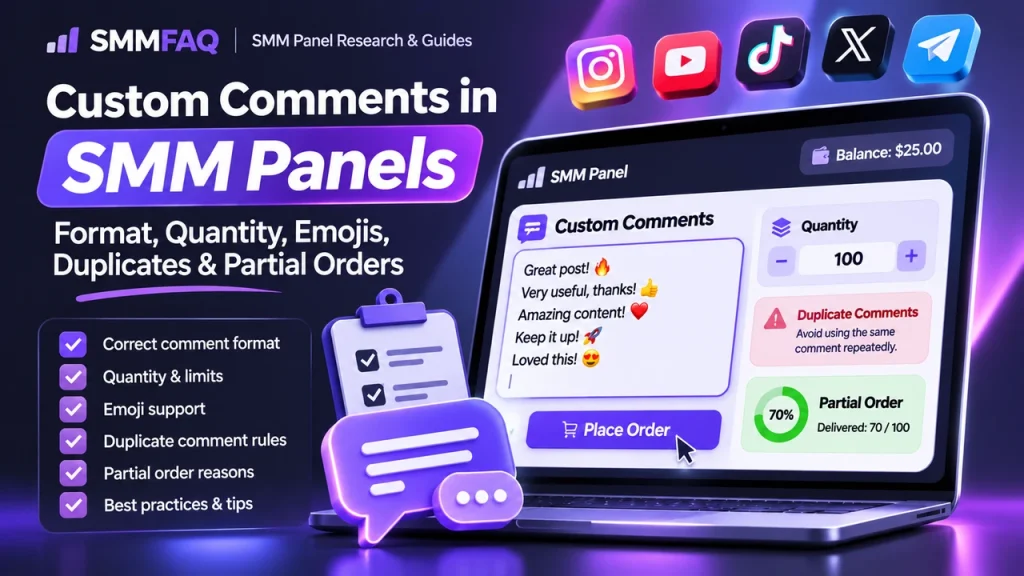
Custom comments are one of the most misunderstood SMM panel order types because the buyer is not only choosing a quantity—the buyer is supplying the actual comment text. That changes how quantity is calculated, how errors happen, how partial delivery is investigated and how API integrations should validate input.
What Are Custom Comments in an SMM Panel?
A custom-comments service lets the customer provide the exact text that should be posted. Instead of entering only a link and quantity, the order form includes a multiline text box. If the customer submits 100 lines, the panel may calculate a quantity of 100 and price the order accordingly.
This is different from “random comments,” “positive comments,” “emoji comments,” or a package where the provider supplies the wording. The word custom describes the text input; it does not automatically describe the accounts, language quality, retention or moderation outcome.
Why Custom Comments Use a Different Order Form
A standard SMM API order often needs service, link and quantity. Custom comments add another payload: the comment list itself. The panel has to preserve line breaks and character encoding as the request moves through the reseller, provider and any upstream supplier.
That is why a custom-comments service can fail even when a normal like or view service works. The content payload creates more validation points. SMMFAQ’s SMM Panel API guide explains how specialized order types differ from basic quantity-based requests.
One Line Usually Equals One Comment
The most common convention is simple: one line in the text box equals one requested comment. If you paste 25 non-empty lines, the panel usually treats the quantity as 25. Some interfaces calculate quantity automatically, while others still show a separate quantity field.
| Input | Typical interpretation | Potential issue |
|---|---|---|
| 1 non-empty line | 1 comment | Usually straightforward |
| 10 lines | 10 comments | Check for hidden blank lines |
| Repeated identical lines | Multiple duplicate comments | Provider may filter or skip duplicates |
| Blank line | May be ignored or counted differently | Quantity mismatch |
| Very long line | One comment | May hit platform/provider length limits |
The Most Reliable Formatting Method
- Write one complete comment per line.
- Avoid leading numbering unless you want the numbers posted.
- Remove blank lines between comments.
- Remove accidental duplicate lines.
- Keep a plain-text copy before submitting.
- Do not add quotation marks around every comment unless those marks should appear publicly.
- Check whether the service supports emoji, mentions, hashtags or URLs.
Emoji and Non-Latin Characters
Emoji and Unicode text usually work in modern systems, but the content may pass through several applications before delivery. A panel can accept the text while an upstream provider strips characters, changes encoding, rejects a line or sends an incomplete payload.
If exact typography matters—Arabic, Hindi, Korean, Thai, accented characters or complex emoji sequences—run a small test first. The safest conclusion is not “Unicode always works,” but “support depends on the entire delivery chain.”
Why Duplicate Comments Are Risky
Duplicate text can create two different problems. First, a supplier may de-duplicate the input and deliver fewer comments than the order quantity. Second, a platform may treat a burst of identical comments as spam and hide or remove them.
Variation matters more than simply changing one emoji. If comments are supposed to read naturally, the wording should match the content and differ in length and phrasing. This is a content-quality issue, not a guarantee that a platform will accept or retain the comments.
Why Custom Comment Orders Become Partial
- Provider filters rejected some lines.
- Some lines contained unsupported characters or links.
- Duplicate lines were removed.
- The provider ran out of eligible posting accounts.
- The target was restricted, closed or changed during delivery.
- Platform moderation removed comments as they appeared.
- The supplier delivered fewer comments and closed the order as Partial.
A Partial status normally means some quantity was not delivered and the undelivered value may be returned according to the panel’s accounting rules. It does not necessarily identify which specific text lines were skipped.
How to Investigate a Partial Custom-Comment Order
Keep three things: the original line list, the order ID, and a copy of what is currently visible on the target. Compare them before opening a support ticket. If 70 of 100 lines are visible, ask whether the provider can identify the rejected 30 or whether the undelivered amount was returned to balance.
Do not send the missing lines as a second overlapping order until you know the first order is final. Overlapping orders create the same attribution problems explained in Can You Use Two SMM Panels on the Same Link?.
Custom Comments vs Random Comments vs Packages
| Service type | Who supplies the text? | Typical control level |
|---|---|---|
| Custom comments | Customer | Highest text control |
| Random/provider comments | Provider | Low |
| Emoji comments | Provider or preset | Very low |
| Comment package | Provider or preset bundle | Varies |
| Mentions/custom mentions | Customer supplies usernames/text fields | Specialized |
Pricing: Why Comments Cost More Than Views or Likes
Comment delivery requires more account actions, more content handling and more moderation risk than a simple view counter. That is why comments are commonly priced far above lightweight metrics such as views. Custom text can also add provider processing costs.
When comparing rates, do not compare “comments” as one universal product. Country, language, custom text, account quality, refill, comment length and delivery speed can all change the price. See Why Do SMM Panel Prices Differ?.
Correct Link Type Matters
A custom-comment service generally expects a public post, video or content URL—not a profile when the comments are supposed to appear under one item. A valid URL can still be rejected if the selected service expects a different content type.
If the panel reports Invalid Link, use SMM Panel Invalid Link Error: 10 Causes & Fixes before changing the order text.
Custom Comments Through an API
Developers should never assume the field name is identical across providers. One API may use comments, another may expose a service-specific parameter, and a third may document a different order type. Preserve line breaks, UTF-8 text and error responses exactly.
Do not put user-supplied comment text into logs without considering privacy and security. The panel may need the content for the order, but permanent debug logs can create unnecessary data retention.
A Better Pre-Order Checklist
- Confirm the service is custom, not random comments.
- Confirm the target is public and commentable.
- Use one line per comment.
- Check duplicates and blank lines.
- Confirm supported language/emoji rules.
- Save the exact submitted text.
- Start with a small test if the wording is important.
What Providers May Filter
- URLs or domain names
- @mentions and usernames
- Repeated identical phrases
- Phone numbers
- Excessive emoji
- Very long comments
- Blacklisted words
- Characters unsupported by the provider’s posting tool
A filter can be applied by the panel, upstream provider, automated posting layer or platform. From the customer’s perspective, the result can look the same: some lines are skipped or the order is closed as Partial.
Custom Comments and Language Targeting
A language label describes the requested text, not necessarily the account identity. If you supply Spanish comments, that does not prove the posting accounts are located in Spain or Latin America. If geography matters, it must be a separate documented property of the service.
This distinction is important for GEO-oriented content because searchers often combine “custom comments,” “real users,” “country” and “language” as if they were one feature. They are separate variables.
API Validation Rules for Developers
A panel integrating custom comments should validate line count before sending the request, enforce a reasonable maximum payload size, preserve UTF-8, and reject an empty list before charging the customer. It should also store the upstream response so a provider-side validation error is not misreported as a generic failed order.
If the provider API exposes a custom-comments order type, the reseller should not map it to a standard quantity-only service. Doing so can create an order that has a valid service ID but no comment payload.
How Support Can Resolve Disputes Faster
- Ask for the order ID and original comment list.
- Compare requested line count with charged quantity.
- Check final order status and refunded amount.
- Identify obvious rejected lines such as URLs or duplicates.
- Verify whether comments were removed after delivery.
- Escalate with exact missing examples instead of a general complaint.
When a Second Order Makes Sense
A second custom-comment order is safest after the first is final and the missing lines are known. If the original order is still processing, sending the same text again can create duplicates, make quantity reconciliation harder and reduce the chance of a clean provider investigation.
Frequently Asked Questions
How is quantity calculated for custom comments?
On many SMM panels, each non-empty line in the comment box is treated as one comment. If you paste 50 lines, the order quantity is usually 50, although providers can parse blank or duplicate lines differently.
Can custom comments include emoji?
Often yes, but emoji, non-Latin text, mentions and links can be filtered or changed by an upstream provider. Test a small order if exact text matters.
Why does a custom comments order become Partial?
Common reasons include rejected lines, unsupported characters, duplicate text, links or words blocked by provider filters, unavailable accounts, or a provider delivering fewer comments than requested.
Are custom comments the same as random comments?
No. With custom comments, you provide the text. Random or provider-written comments use text selected or generated by the provider.
Should I save my comment list?
Yes. Keep the exact list submitted with the order ID. It makes it much easier to compare delivered, missing and removed comments.
Example: Turning a Comment List Into an Order
Suppose you prepare 40 comments in a spreadsheet. Before pasting them into the panel, remove the header row, delete empty cells, and export only the final text. After pasting, count the non-empty lines again. If the panel displays quantity 42, you know two unintended lines were parsed and should be fixed before submission.
This simple reconciliation prevents a surprising number of disputes. The most useful evidence after ordering is not a screenshot of the text box alone; it is the exact text file plus the order ID and visible delivered comments.