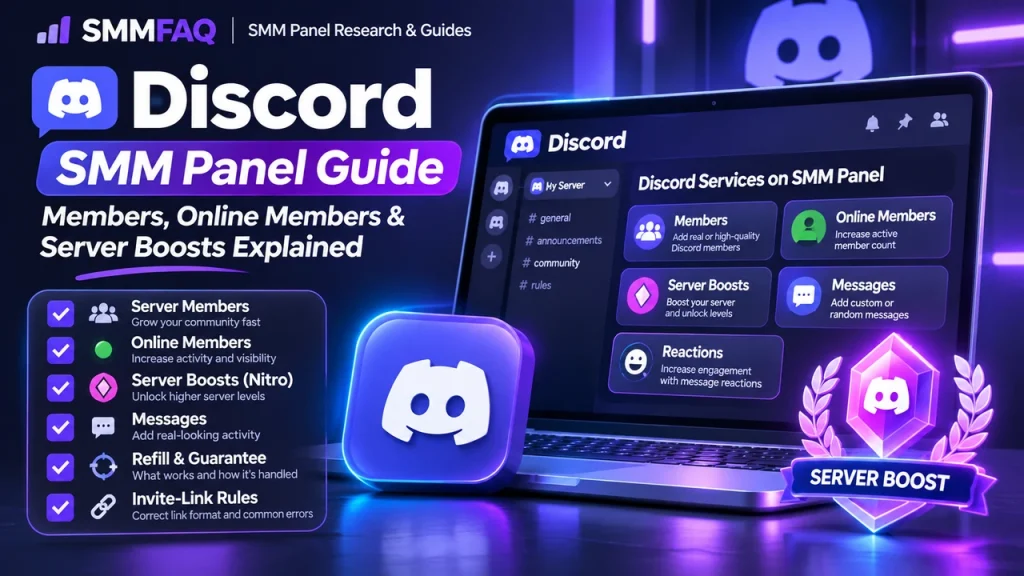
Discord services are often grouped together even though member joins, online-status members, server boosts, reactions and message packages behave very differently. The right comparison starts by separating those products instead of treating “Discord growth” as one metric.
The Main Discord SMM Service Types
| Service | What changes | Common unit |
|---|---|---|
| Server members | Member count | Per 1,000 |
| Online members | Visible online presence/member pool | Per 1,000 or duration |
| Server boosts | Boost level / boost count | Package |
| Reactions | Emoji reactions on a message | Per 1,000 |
| Messages | Message volume/activity package | Per day/package |
A current SMM Directory snapshot on November 3, 2026 listed 4,159 Discord services from 530 panels. That does not mean the services are equivalent; the same directory separates boosts, members, reactions and other types because their units and behavior differ.
Server Members
A server-member service adds accounts to a Discord server through an invite. The visible number can change quickly, but retention depends on the provider source, invite conditions, Discord enforcement and whether the row includes refill.
The most important fields are min/max quantity, refill period, start time, invite requirements and whether the provider describes the accounts as global, targeted or online.
Online Members
Online-member services should not be read as “active community members.” The label generally refers to accounts that appear online or are kept in an online state for some period. That can make the server sidebar look more active without creating real conversation.
Some rows are time-based. A service described as “online for 3 months” should be evaluated as a duration product, not a permanent membership guarantee.
Server Boosts
Server boosts are a separate Discord-native feature. Panels commonly sell a fixed number of boosts for one month or several months. A boost package can affect the server’s boost level and feature access, but it is not the same as adding members.
Because boosts are package-based, price-per-1,000 comparisons are often misleading. Compare package size, duration, start time and the provider’s replacement policy instead.
Invite Links and Common Link Errors
Discord member services usually require a valid invite URL. An expired invite, restricted invite, full server, membership screening rule or unsupported vanity link can prevent delivery.
If the link opens for you but the panel rejects it, use the general SMM Panel Invalid Link Error checklist. Provider validation can be stricter than browser validation.
Refill, Drops and Time-Limited Services
A 30-day refill row and a one-month boost package solve different problems. Refill replaces eligible missing members. A boost-duration package simply expires according to its term. Do not treat every “30 days” label as a refill guarantee.
For label decoding, see SMM Panel Service Labels Explained.
How to Compare Discord Services
- Match the service family first.
- Check whether the service is permanent, refill-based or duration-based.
- Verify the invite format and server eligibility.
- Compare package size and duration for boosts.
- Separate online status from actual participation.
- Use a small test before funding a large balance.
Why Price Alone Is Weak Evidence
A low member price can reflect a lower-retention pool, no refill, short duration or a different account type. A more expensive boost package can also include a longer duration. The rate only becomes meaningful after the product definition is matched.
For broader price methodology, read Why Do SMM Panel Prices Differ?.
A Practical Pre-Order Checklist
- Invite is active and not expired.
- Server has capacity and required permissions.
- Service type matches members/online/boosts/messages.
- Duration and refill are understood.
- No duplicate overlapping order is running.
- Order ID and service ID will be saved.
How a Discord Order Moves Through an SMM Panel
From the customer side, the order looks simple: choose a service, submit the target and quantity, then watch the status. Behind the panel, the row can be mapped to an upstream provider through an API. The provider validates the server invite and service family, creates its own external order and returns a status to the reseller.
Because each layer can rename services or normalize statuses differently, the customer-facing order ID does not necessarily reveal the upstream source. This is why SMMFAQ recommends saving the local service ID and date rather than relying only on a service name.
Worked Example
Suppose Server A has 2,000 members and you test 100 member joins with a 30-day refill row. Record the invite URL, baseline member count, whether membership screening is enabled, the service ID and refill window. A separate boost package should be tracked as a package with its own expiry date, not added to the member-count test.
The purpose of the example is not to recommend a quantity. It shows which fields should be recorded so the result can be audited later: target, quantity, service ID, start time, visible baseline, final status and any duration/refill terms.
Common Failure Modes
- Invite expired or was revoked
- Server reached a limit or provider cannot join through screening
- Wrong service type: boosts ordered as if they were members
- Online-status duration expires
- Provider member accounts are removed
- Boost package reaches its expiry date
A failed or Partial order does not automatically mean the panel is fraudulent. It can reflect target validation, upstream capacity, platform changes or a service-specific rule. Repeated failures across unrelated categories are more significant than one isolated order.
How to Compare Two Services Without Comparing Apples to Oranges
- Members vs online members
- Boost quantity and duration
- Invite requirements
- Refill window for member joins
- Online-duration claim
- Message/reaction rules
Price becomes meaningful only after those fields match. A cheaper listing can be a different product—shorter duration, no refill, different targeting, smaller maximum or a different traffic/account source.
What Panel Operators and Resellers Should Monitor
For Discord, a reseller should keep boosts, member joins and message packages as distinct product types. They have different units and support workflows; combining them under one generic quantity model creates accounting and refund confusion.
For operators using provider APIs, an automatic sync should not blindly publish every upstream row. High-risk or time-sensitive service types benefit from manual descriptions that explain target format, duration and customer-side restrictions.
What the Visible Metric Does Not Prove
A large server count does not prove active conversation. Online status does not prove reading or participation. Boosts unlock platform features but do not create a community. These are separate observable states.
This is the central research distinction between a metric and an outcome. A visible counter can be measured; authenticity, intent, conversion and long-term business value require different evidence.
Post-Order Audit
- Save the final status and timestamp.
- Compare the visible metric with the pre-order baseline.
- Check whether any promised duration/refill window is still active.
- Record unexpected drops or removals.
- Do not start an overlapping replacement order until the first order is final.
- If support is needed, send exact order data rather than a vague complaint.
Research Framework for Discord Services
Discord comparison is strongest when members, online status and boosts are stored as separate product families. A directory that mixes them can make a cheap member row appear directly comparable to a boost package even though the units have nothing in common.
A useful SMMFAQ comparison separates what is directly observable from what is only claimed. Observable fields include the published rate, minimum, maximum, visible service type, refill/cancel flags and the time the row was captured. Claims such as “real,” “premium,” “stable,” or “best quality” require additional evidence and should be stored as labels rather than facts.
1. Normalize the Unit Before Comparing Price
Member joins can be normalized per 1,000. Boosts should be compared by number of boosts and duration. Message packages should be compared by messages per day, days included and whether the content is custom.
This normalization is important for search users as well as resellers. A Google result that says one panel is ‘cheapest’ can be misleading when the products use different units, duration or scope. SMMFAQ therefore prefers comparable service definitions over headline floor prices.
2. Separate Quality Claims From Remedy Terms
Online status and ‘HQ member’ labels are descriptive. Refill windows for member joins are more concrete. Boost duration is another measurable term. Keep those fields separate in research.
A refill window is measurable as a policy field. A quality label is descriptive. They can appear together, but neither should silently substitute for the other. If a provider advertises both, record both.
3. Treat Timing as Part of the Product
Invite-based delivery may start quickly, but duration-based online or boost products need an expiry date. Timing is not just start speed; it can define how long the product exists.
For time-sensitive metrics, the start-time claim can be more important than the maximum throughput. For long-running follower/member products, later retention or refill may matter more. This is why one generic ‘speed’ score is usually too simplistic.
4. Save Evidence for Support
Save the invite used, server name, baseline member count, boost level/count where relevant and any membership-screening state. This gives support enough context to distinguish a bad target from a supply failure.
Good troubleshooting is data-driven. A support ticket containing service ID, order ID, target, pre-order baseline, relevant timestamps and screenshots is much easier to investigate than a message that only says “not working.”
5. Compare the Service With the Wider Panel Context
A single good or bad row does not describe an entire panel. Use the SMM Panel List methodology and other SMMFAQ research pages to compare provider behavior, catalog changes and panel availability before drawing panel-wide conclusions.
Frequently Asked Questions
What is the difference between Discord members and online members?
Member services increase the server member count. Online-member services are marketed around visible online status or active-looking presence and may use a different account pool or duration.
Are Discord server boosts the same as members?
No. Boosts are a separate Discord feature tied to server boost levels and are commonly sold as fixed packages or durations.
What link does a Discord member service need?
Most services use a valid server invite link. The invite must be active and compatible with the provider’s requirements.
Why do Discord member services drop?
Accounts can leave, be removed, expire, be detected, or disappear when a time-limited service ends. Refill coverage depends on the exact row.
Do online members create chat activity?
Not necessarily. A visible online status does not prove that the accounts will read or participate in conversations.