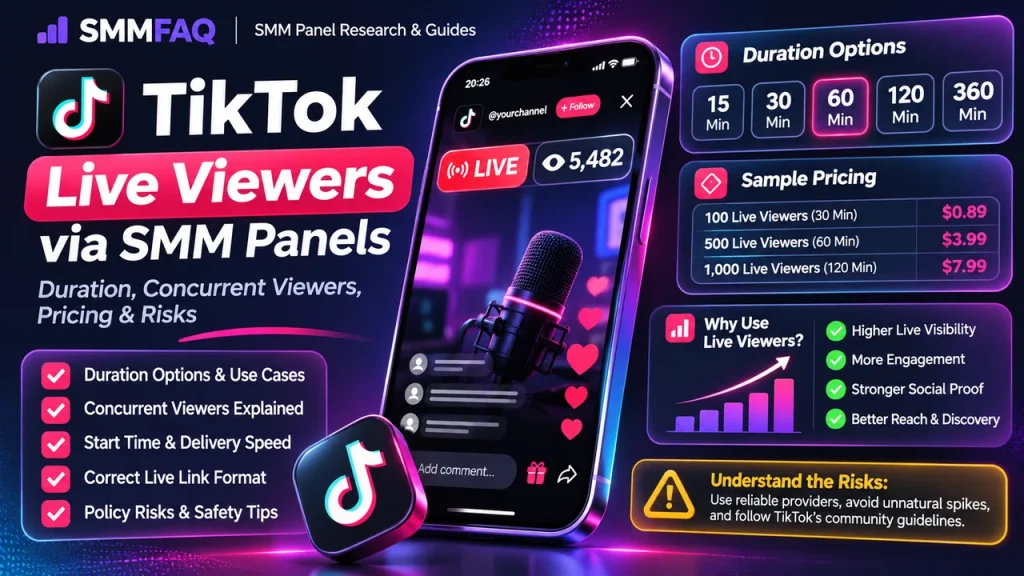
TikTok LIVE viewer services are fundamentally different from ordinary TikTok video views. They are concurrent, time-sensitive and usually sold with a duration such as 15, 30, 60, 120 or 360 minutes.
How TikTok LIVE Viewer Services Are Structured
The core fields are quantity, duration, start time, maximum viewers and target format. Some services add labels such as “100% concurrent,” “instant,” “stable” or “userlist.” Those labels need to be read as provider claims, not guarantees.
| Field | Example | Why it matters |
|---|---|---|
| Quantity | 500 viewers | Concurrent target |
| Duration | 60 minutes | How long the service attempts to hold viewers |
| Start time | 0–5 minutes | Critical for a live event |
| Max | 10,000 | Upper concurrent order limit |
| Target | LIVE/profile link | Provider validation format |
Duration Is Part of the Price
A 15-minute product should usually cost less than a 3-hour product even if both advertise the same viewer quantity. Comparing only the rate per 1,000 can hide the most important difference: time.
SMMvisor’s current live-viewer category shows many duration-specific rows, including 15-minute and multi-hour variants. Another live provider publicly lists durations from 15 minutes to six hours. That confirms duration is a standard catalog variable.
Concurrent Viewers vs Total Views
Concurrent viewers describe how many viewers are present at the same time. A regular video-view service counts playbacks on a published video. The same number—1,000—means something very different in the two products.
When to Place the Order
Live delivery depends on an active broadcast. Most services work best after the stream has started and the correct live target can be resolved. Ordering before the LIVE exists can leave the provider waiting for a target it cannot validate.
Correct Target Format
Some providers accept the direct LIVE URL; others accept the profile username while the account is currently live. Read the service description. Do not assume an ordinary video URL will work.
If the link is rejected, use SMM Panel Invalid Link Error.
Start Time Matters More Than Usual
A 30-minute stream can be nearly over by the time a slow service begins. For live products, start time can matter more than maximum delivery speed. “Instant” is still a claim, so leave operational margin and test unfamiliar providers before an important event.
Market Snapshot
A recent SMMvisor snapshot listed 586 providers and more than 13,000 TikTok LIVE viewer service rows in its category. The catalog includes multiple durations and concurrency claims, illustrating how fragmented this market is.
Because the category is large, the lowest price is not a useful quality signal by itself. Match duration, maximum, start-time claim and provider rules first.
Policy and Measurement Risk
TikTok’s integrity rules address fake engagement and manipulation. A third-party viewer count does not guarantee algorithmic reach, authentic interest or conversion. Treat the product as a visible metric service with platform-policy risk.
Pre-LIVE Checklist
- Go live before ordering if the service requires it.
- Confirm direct LIVE link vs username format.
- Choose a duration shorter than or equal to your planned stream.
- Check max concurrent quantity.
- Check start-time claim.
- Do not overlap multiple live-viewer providers.
- Save the order ID before the stream ends.
How to Compare Two Live-Viewer Services
Compare quantity, duration, start time, max, claimed concurrency and price as one package. A cheaper row with a five-minute duration can be more expensive per viewer-minute than a higher-priced one-hour service.
Use Service Labels Explained to decode Instant, HQ, Stable or 10K/D-style terms.
How a TikTok LIVE Order Moves Through an SMM Panel
From the customer side, the order looks simple: choose a service, submit the target and quantity, then watch the status. Behind the panel, the row can be mapped to an upstream provider through an API. The provider validates the active LIVE target, creates its own external order and returns a status to the reseller.
Because each layer can rename services or normalize statuses differently, the customer-facing order ID does not necessarily reveal the upstream source. This is why SMMFAQ recommends saving the local service ID and date rather than relying only on a service name.
Worked Example
Imagine a stream planned for 90 minutes and a service offering 300 concurrent viewers for 60 minutes. The operational question is not only price: will the service start within the first few minutes, and which 60-minute window does the provider attempt to maintain? Record the actual start and drop-off times.
The purpose of the example is not to recommend a quantity. It shows which fields should be recorded so the result can be audited later: target, quantity, service ID, start time, visible baseline, final status and any duration/refill terms.
Common Failure Modes
- Broadcast is not live
- Provider cannot resolve live/profile target
- Service starts too late
- Duration ends before the stream
- Concurrent quantity is not maintained
- Platform filtering changes the visible count
A failed or Partial order does not automatically mean the panel is fraudulent. It can reflect target validation, upstream capacity, platform changes or a service-specific rule. Repeated failures across unrelated categories are more significant than one isolated order.
How to Compare Two Services Without Comparing Apples to Oranges
- Quantity
- Duration
- Start time
- Maximum concurrency
- Direct LIVE vs profile link
- Seller stability label
- Price per viewer-minute
Price becomes meaningful only after those fields match. A cheaper listing can be a different product—shorter duration, no refill, different targeting, smaller maximum or a different traffic/account source.
What Panel Operators and Resellers Should Monitor
For TikTok LIVE rows, duration and concurrency should be explicit database fields. A panel that imports only rate and quantity can misrepresent the product because time is part of what the customer is buying.
For operators using provider APIs, an automatic sync should not blindly publish every upstream row. High-risk or time-sensitive service types benefit from manual descriptions that explain target format, duration and customer-side restrictions.
What the Visible Metric Does Not Prove
Concurrent viewers do not prove comments, follows, gifts, watch retention or algorithmic reach. A stream can display a large viewer count while other engagement remains unchanged.
This is the central research distinction between a metric and an outcome. A visible counter can be measured; authenticity, intent, conversion and long-term business value require different evidence.
Post-Order Audit
- Save the final status and timestamp.
- Compare the visible metric with the pre-order baseline.
- Check whether any promised duration/refill window is still active.
- Record unexpected drops or removals.
- Do not start an overlapping replacement order until the first order is final.
- If support is needed, send exact order data rather than a vague complaint.
Research Framework for TikTok LIVE Viewer Services
TikTok LIVE research should treat quantity and duration as a pair. Public directories contain many rows that look identical until the duration field is read, making headline per-1,000 pricing especially easy to misinterpret.
A useful SMMFAQ comparison separates what is directly observable from what is only claimed. Observable fields include the published rate, minimum, maximum, visible service type, refill/cancel flags and the time the row was captured. Claims such as “real,” “premium,” “stable,” or “best quality” require additional evidence and should be stored as labels rather than facts.
1. Normalize the Unit Before Comparing Price
Compare the same viewer quantity at the same duration and similar start-time promise. If possible, calculate cost per 1,000 viewer-minutes to expose large differences between short and long packages.
This normalization is important for search users as well as resellers. A Google result that says one panel is ‘cheapest’ can be misleading when the products use different units, duration or scope. SMMFAQ therefore prefers comparable service definitions over headline floor prices.
2. Separate Quality Claims From Remedy Terms
Stable, real, HQ and 100% concurrent are provider claims. Duration and quantity are explicit product fields. Platform filtering can still affect the observed count.
A refill window is measurable as a policy field. A quality label is descriptive. They can appear together, but neither should silently substitute for the other. If a provider advertises both, record both.
3. Treat Timing as Part of the Product
The service must start while the broadcast is active. For a 60-minute product, note when the provider actually begins; 60 minutes of purchased duration starting 40 minutes late may not fit the event plan.
For time-sensitive metrics, the start-time claim can be more important than the maximum throughput. For long-running follower/member products, later retention or refill may matter more. This is why one generic ‘speed’ score is usually too simplistic.
4. Save Evidence for Support
Save the LIVE URL/username, stream start time, order time, first viewer change and drop-off time. Those five timestamps can reveal whether a problem was late start, short duration or missing quantity.
Good troubleshooting is data-driven. A support ticket containing service ID, order ID, target, pre-order baseline, relevant timestamps and screenshots is much easier to investigate than a message that only says “not working.”
5. Compare the Service With the Wider Panel Context
A single good or bad row does not describe an entire panel. Use the service-label guide and other SMMFAQ research pages to compare provider behavior, catalog changes and panel availability before drawing panel-wide conclusions.
Viewer-Minute Example
If 500 viewers are held for 30 minutes, the package represents 15,000 viewer-minutes. If another service offers 500 viewers for 120 minutes, it represents 60,000 viewer-minutes. This does not measure quality, but it is a more honest pricing comparison than looking at the same “500 viewers” quantity while ignoring duration.
Duration should always be documented explicitly.
Frequently Asked Questions
What are TikTok live viewers in an SMM panel?
They are services marketed to increase the concurrent viewer count while a TikTok LIVE is active, usually for a specified duration.
Why do TikTok live-viewer services have 15, 30 or 60 minute options?
Concurrent viewers must remain present during the stream, so duration is part of the product definition.
Should I order before going live?
Most provider descriptions expect the stream to be live before delivery begins. Ordering too early can lead to delay or failure.
Are live viewers the same as normal TikTok video views?
No. Video views are recorded on a published video; live viewers are concurrent participants in an active stream.
Do live-viewer services guarantee discovery?
No. A visible viewer count does not guarantee algorithmic distribution, real engagement, sales or followers.
Live Likes, Comments and PK Points
Some TikTok catalogs bundle or cross-sell live likes, comments, shares and PK-related metrics. These are separate actions. Adding live viewers does not automatically create comments or likes.