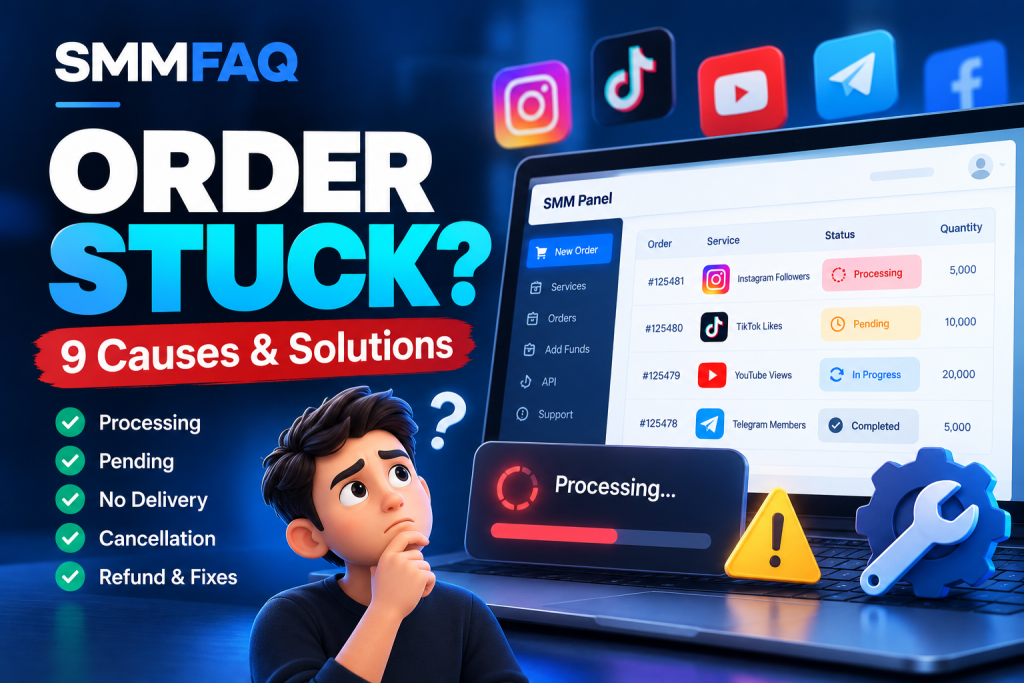
An SMM panel order stuck in Processing can be frustrating, especially when the service was advertised with a fast start time or the order has remained unchanged for several hours.
You submit an order, your balance is charged, and everything initially appears normal. But instead of moving toward completion, the order stays in Pending, Processing, or In Progress.
Does this mean the service is broken? Has the provider received the order? Can you request cancellation or a refund?
The answer depends on the order status, service conditions, provider system, and the reason for the delay.
Quick answer: An SMM panel order can remain stuck because of provider queues, incorrect links, private accounts, API synchronization problems, unavailable services, conflicting orders, or delayed status updates. First, check the order details and published start-time expectations. Avoid submitting another order to the same target while the original is unresolved, and contact support if the delay exceeds the provider’s stated processing window.
This guide explains 9 common reasons SMM panel orders get stuck, what different order statuses mean, and how to troubleshoot problems without making them worse.
What Does Processing Mean in an SMM Panel?
Processing generally means an order has entered a handling stage but has not yet reached a final outcome.
Depending on the panel and provider, this might mean:
- The order has been accepted by the system.
- The provider has placed it into a processing queue.
- Initial verification is underway.
- The service is preparing to start.
- Fulfillment has begun, but the dashboard has not updated.
- The reseller is waiting for an upstream provider response.
The most important point is that Processing does not necessarily mean delivery has already started.
Different providers may use slightly different definitions.
For example, one provider might display Processing immediately after order creation, while another may continue displaying Pending until the service begins.
This makes order status documentation an important part of evaluating any SMM API.
To understand how these integrations work, read What Is an SMM Panel API?.
SMM Panel Order Statuses Explained
Before troubleshooting, identify exactly what the displayed order status means.
| Order Status | Typical Meaning | Recommended Action |
|---|---|---|
| Pending | Waiting for initial processing | Check the advertised start time |
| Processing | Accepted or being handled | Monitor progress and provider updates |
| In Progress | Delivery is underway | Check delivered quantity and remaining amount |
| Completed | Provider reports completion | Verify the result independently |
| Partial | Only part of the order was completed | Check the remaining amount and adjustment policy |
| Canceled | The order has been stopped | Review applicable refund or balance adjustment rules |
| Error / Failed | Technical or validation failure | Check the error message and contact support |
These are common interpretations rather than universal standards.
Some providers use additional statuses such as Awaiting, Queued, or Rejected.
A provider may also report Completed before the customer can independently confirm the expected result.
Important: An order marked Completed does not automatically prove that all engagement is genuine, permanent, or compliant with a social platform’s policies.
9 Common Reasons an SMM Panel Order Gets Stuck
1. The Provider Has a Large Processing Queue
One of the most common explanations for delayed orders is a processing backlog.
SMM providers may receive many orders through multiple reseller panels.
When incoming requests exceed the provider’s processing capacity, some orders can remain queued.
This can happen during:
- Unusually high order volume
- Temporary service interruptions
- Provider system maintenance
- Upstream infrastructure problems
- Changes to the underlying service
An order may remain Pending or Processing even though the API successfully accepted it.
How to troubleshoot:
Check the service’s advertised start-time range and any published maintenance announcements.
If the order remains unchanged beyond the stated processing window, contact support with the order ID and relevant details.
Avoid assuming that every delayed order has failed.
2. The Submitted Link Is Incorrect or Unsupported
An invalid link can prevent a service from processing correctly.
Different service categories may require different URL formats.
For example, a service might require:
- A public Instagram profile URL
- A specific TikTok video URL
- A YouTube video or channel link
- A Telegram channel or group identifier
- Another provider-supported target format
Some systems reject unsupported URLs immediately.
Others may accept the order initially but encounter problems during processing.
Common issues include outdated usernames, deleted posts, inaccessible content, malformed links, or a target type the service does not support.
How to troubleshoot:
Verify that the original target still exists and matches the requirements described in the service listing.
If the link is incorrect, contact support rather than assuming it can be edited after submission.
Some providers cannot modify an order once it has entered processing.
3. The Account or Content Is Private
Privacy restrictions can interfere with services that require access to public information.
For example, some service workflows may need to read a public follower count, view count, or other publicly visible information.
If an account becomes private after an order is placed, the provider may no longer be able to retrieve the required data.
The same problem may occur when content is deleted, restricted, or made inaccessible.
How to troubleshoot:
Check whether the account or content meets the service’s published requirements.
If a service requires public access, determine whether the original target remains eligible.
Do not share account passwords or disable security protections merely because a third-party service requests them.
If the target no longer satisfies the service conditions, ask the provider whether cancellation or another resolution is available.
4. The Service Is Temporarily Unavailable
SMM service availability can change.
A service displayed in a panel’s catalog may be temporarily suspended by its upstream source.
The customer-facing panel might not immediately reflect that change.
This is particularly relevant to platforms that synchronize thousands of services from external APIs.
For example:
- A reseller imports a service from a provider.
- The service appears as available in the reseller catalog.
- The upstream provider temporarily suspends fulfillment.
- A customer submits an order before the reseller catalog updates.
- The order remains Pending or Processing.
This sequence is illustrative, but it shows why catalog availability and actual fulfillment are different measurements.
How to troubleshoot:
Check whether the panel has published a service interruption or maintenance notice.
If the service is no longer operating, ask support about the available cancellation and refund procedures.
For independent research, the SMMFAQ Service Comparison Database lets visitors inspect available service records, including update information and certain catalog fields.
Remember that synchronized catalog information cannot guarantee real-time fulfillment.
5. Multiple Orders Were Placed on the Same Link
Submitting overlapping orders can create measurement and tracking problems.
Consider this hypothetical example:
| Order | Quantity | Status |
|---|---|---|
| Order A | 5,000 | In Progress |
| Order B | 10,000 | Processing |
| Order C | 3,000 | Pending |
All three orders target the same social media profile.
If the public count increases, the provider may have difficulty attributing the change to a particular order.
This may affect start-count calculations, remaining quantities, and certain refill conditions.
Not every provider handles simultaneous orders in the same way.
However, many service terms restrict overlapping orders.
How to troubleshoot:
Review whether another order is already active for the same target.
Avoid creating additional overlapping orders while the existing ones are unresolved.
If several orders are already active, provide support with all relevant order IDs.
For additional information on how overlapping orders can affect replacement eligibility, read What Does Refill Mean in an SMM Panel?.
6. The Provider API Is Not Synchronizing Correctly
API communication problems are another possible source of delays.
Many reseller panels automatically forward orders to upstream providers.
A simplified process looks like this:
Customer → Reseller Panel → Provider API → Fulfillment System
After an order is submitted, the reseller may periodically request updated information through the provider’s status endpoint.
If those requests fail or return stale information, the customer dashboard may not reflect the current state.
Possible technical causes include:
- API timeouts
- Temporary endpoint failures
- Authentication errors
- Incorrect provider order IDs
- Rate limiting
- Delayed polling jobs
- Database synchronization failures
- Unexpected response formats
An order can sometimes progress upstream while the reseller still displays an outdated status.
How to troubleshoot:
For customers, the safest approach is to contact the panel rather than attempting to place duplicate orders.
For authorized panel administrators, inspect API response logs, order mappings, synchronization timestamps, and error messages.
If the API reports a failure, investigate the specific error before retrying any operation.
Blindly repeating order-creation requests can result in duplicate orders.
7. The Order Has Started but Delivery Is Slow
Processing delays and slow delivery are not identical problems.
An order may move to In Progress and begin delivering a small quantity, then continue at a slower rate than expected.
For example:
Hypothetical order
- Requested quantity: 10,000
- Starting count: 2,000
- Current count: 4,500
- Reported delivered quantity: 2,500
- Remaining quantity: 7,500
The order has made measurable progress, but it is not completed.
Possible explanations include provider rate limits, intermittent fulfillment, or temporary capacity changes.
However, a public count can also change for unrelated reasons, so it should not be treated as perfect proof of delivered quantity.
How to troubleshoot:
Compare the stated delivery expectations with the observed progress.
Check whether the service description includes an estimated speed or completion range.
Do not assume that a claimed maximum daily delivery rate represents a guaranteed minimum rate.
If the order is substantially behind the published expectations, contact the provider with the current order details.
8. The Provider’s Status Information Is Incorrect or Delayed
Sometimes the underlying issue is not the fulfillment process itself but the status shown to the customer.
A reseller might rely on cached responses or periodic synchronization jobs.
This can result in delayed or inconsistent information.
Examples include:
- The dashboard shows Processing while the upstream provider reports Completed.
- The displayed remaining quantity has not updated.
- A canceled upstream order still appears active locally.
- The reseller cannot retrieve the latest status.
- A partial result is not reflected in the account balance.
These situations require careful investigation because the visible customer status may differ from the upstream record.
How to troubleshoot:
Avoid treating an outdated status as definitive evidence that the order is still active.
For authorized administrators, compare the local order ID with the correct external provider order ID.
Check whether the status response is current and whether the panel processed it successfully.
A useful support report should include the last verified update and any relevant mismatch.
9. The Provider Has Not Resolved a Cancellation or Support Request
A customer may notice that an order is delayed and submit a cancellation request.
But requesting cancellation is not the same as receiving confirmation that the order has stopped.
Depending on provider rules, cancellation may be unavailable after fulfillment begins.
In a multi-provider supply chain, the request may also need to pass through several systems.
For example:
Customer → Reseller Support → Upstream Provider → Cancellation Decision
Each step can introduce additional waiting time.
How to troubleshoot:
Check whether the service supports cancellation.
Submit the request through the provider’s official support channel.
Keep the original order ID and support ticket reference.
Avoid placing a replacement order until the status of the original request is clear.
For a detailed explanation, see What Does Cancel Mean in an SMM Panel?.
Quick Troubleshooting Checklist
If an SMM panel order appears stuck, use this sequence.
| Step | Check | Why |
|---|---|---|
| 1 | Order ID and service | Confirm you are examining the correct order |
| 2 | Current order status | Distinguish Pending from active delivery |
| 3 | Advertised start time | Determine whether a delay exceeds expectations |
| 4 | Original target link | Identify inaccessible or unsupported targets |
| 5 | Account visibility | Check relevant service requirements |
| 6 | Other active orders | Identify overlapping requests |
| 7 | Start count and remains | Determine whether measurable progress is reported |
| 8 | Service announcements | Check for temporary interruptions |
| 9 | Cancellation and refund terms | Identify available resolution options |
If the checks do not explain the problem, prepare a clear support request.
How Long Can an SMM Panel Order Stay in Processing?
There is no universal processing-time limit across all SMM panels.
A service might advertise a start time measured in minutes, while another may provide a much longer estimated window.
Actual processing may vary with the service category and provider.
An advertised instant start does not necessarily mean immediate completion.
It is important to distinguish:
Start time: How long the service expects to take before beginning.
Delivery speed: The estimated rate at which a quantity may be fulfilled.
Completion time: The total period required to reach a final result.
These values are not interchangeable.
For example, a service could start quickly but continue delivering over an extended period.
Another service might remain in a queue before beginning.
Neither situation can be evaluated accurately without the service’s published conditions.
Recommendation: Escalate the issue when the provider’s stated start or delivery expectations have been exceeded, rather than applying an arbitrary universal deadline.
Can You Cancel an SMM Panel Order That Is Processing?
Sometimes, but not always.
Cancellation eligibility depends on the provider’s rules, service capabilities, and order status.
A service catalog may include a field such as:
Cancel: Yes
This generally indicates that a cancellation function is supported.
It does not establish that every order can be canceled in every state.
For example:
| Situation | Possible Outcome |
|---|---|
| Pending, not started | Cancellation may be available |
| Processing, not started | Depends on provider |
| In Progress | Cancellation may be restricted |
| Completed | Usually not eligible for ordinary cancellation |
| Partial | Requires review of final order and financial status |
| Already canceled | No further cancellation required |
These examples are general and not guaranteed rules.
A cancellation request may also require additional processing before the final status changes.
For more information, read SMM Panel Cancellation Explained.
What Happens to Your Money if an Order Is Stuck?
Payment handling depends on the panel’s published terms.
A delayed order does not automatically qualify for a full refund.
Possible outcomes include:
Order completed: The provider reports full fulfillment, and the original charge may remain unchanged.
Order canceled before fulfillment: The applicable undelivered amount may be refunded or credited according to policy.
Order partially completed: The financial adjustment may reflect the undelivered portion.
Order unresolved: The provider may need to investigate before determining whether a cancellation or adjustment is available.
Some panels issue eligible refunds into the customer’s prepaid account balance instead of returning money to the original payment method.
Always distinguish between an order-status change and a financial adjustment.
If an order is marked Canceled or Partial, verify the applicable balance transaction rather than assuming it was automatically completed.
What Does Partial Mean in an SMM Panel?
Partial indicates that the provider reports completing only part of the requested quantity.
Consider a hypothetical example:
- Original order: 10,000
- Reported completed quantity: 6,000
- Undelivered quantity: 4,000
The provider may close the order as Partial.
Depending on the applicable terms, the undelivered portion might receive a corresponding financial adjustment.
However, actual calculations can depend on provider accounting and service conditions.
A partial order is different from a refill request.
Partial: The original fulfillment did not reach the requested quantity.
Refill: A provider may replace eligible losses after delivery under defined conditions.
For more information, see What Does Refill Mean in an SMM Panel?.
Why Does an SMM Panel Say Completed When Nothing Arrived?
This is another issue raised in user discussions about SMM panels.
A customer may see Completed in the dashboard but believe the expected quantity never appeared.
Possible explanations include:
- The dashboard uses an incorrect or outdated status.
- The provider measured a different start count.
- The target link was incorrect.
- Public platform metrics have not refreshed.
- The delivered quantity later decreased.
- The provider incorrectly reported fulfillment.
Do not assume any one explanation is correct without checking the records.
Start by comparing the original target, start count, requested quantity, and any independent evidence available.
If the discrepancy remains unresolved, submit a documented support request.
How to Write an Effective SMM Panel Support Ticket
A support request should contain enough information for the provider to locate and investigate the problem.
Avoid sharing account passwords, API secrets, or unnecessary personal information.
Here is an example that can be adapted:
Subject: Order Stuck in Processing
Hello Support Team,
My order has remained in Processing longer than the advertised start-time window.
Order ID: 12345678
Service: Instagram Followers
Order Date: [Date and time]
Current Status: Processing
Reported Start Count: [Value]
Reported Remains: [Value]
I have checked the original link and the published service conditions.
Could you please confirm whether the order is active, delayed, or eligible for cancellation?
If cancellation is available, please explain the applicable refund or balance adjustment.
Thank you.
A clear, complete ticket is generally easier to investigate than repeated messages containing only the order number.
Troubleshooting Stuck Orders Through an SMM API
For authorized reseller administrators, troubleshooting can require checking both the customer-facing panel and the upstream API.
A simplified API status response may look like this:
{
  "status": "Processing",
  "start_count": "1500",
  "remains": "5000",
  "charge": "2.50",
  "currency": "USD"
}
This is an illustrative response, not a live order.
It indicates that the provider reports Processing and a remaining quantity of 5,000.
It does not prove whether the fulfillment system is functioning correctly.
Important Technical Checks
1. Confirm the provider order ID.
The reseller’s internal order number may differ from the upstream provider’s order ID.
Sending the wrong identifier to the status endpoint may produce an error or return unrelated information.
2. Inspect API error responses.
Authentication failures, malformed requests, rate limits, and temporary provider errors may interrupt synchronization.
3. Check synchronization jobs.
Verify that scheduled jobs responsible for retrieving order updates are running successfully.
4. Review the last successful status update.
A recent dashboard refresh does not necessarily mean that fresh information was retrieved upstream.
5. Avoid duplicate order creation.
Retrying a failed status request is different from retrying an order-creation request.
If a creation request times out after the upstream provider has accepted it, blindly repeating the request may create a second order.
Check whether the first order was accepted before submitting another.
6. Monitor upstream dependencies.
If several services rely on the same provider, one upstream interruption can affect multiple reseller listings.
A broader explanation is available in How Do SMM Panels Get Their Services?.
What Reddit Users Say About Processing Delays
Reddit discussions can help identify recurring operational concerns, although individual complaints do not establish industry-wide failure rates.
In an October 2025 discussion on r/SocialMediaMarketing, the original poster described orders remaining in Processing, follower drops, refill problems, and weak support.
Several commenters also discussed the difficulty of determining whether the problem originated with the reseller panel or an upstream provider.
Source: Reddit – Any Cheap SMM Panels That Actually Deliver Stable Results?
Another discussion in r/BusinessVault included complaints about orders remaining Pending or becoming Partial.
Source: Reddit – What’s the Best SMM Panel?
These are anecdotal reports, not verified audits of the providers mentioned.
They nevertheless highlight an important research question:
Does a delay originate in the reseller dashboard, the provider API, or the underlying fulfillment system?
Understanding that distinction is essential for effective troubleshooting.
How Can SMMFAQ Help Compare Service Conditions?
SMMFAQ is an independent research platform focused on SMM service catalogs, provider information, and industry education.
It is not a live diagnostic system for orders placed on third-party panels.
However, researchers can use its tools to examine available service characteristics.
For example, the SMMFAQ Services Database includes fields such as:
- Provider
- Service ID
- Service category
- Price per 1,000
- Minimum and maximum quantity
- Refill support
- Cancellation support
- Catalog update information
These fields help users compare advertised terms and understand differences between listings.
They do not establish current fulfillment performance or independently verify an individual order’s status.
The Provider Research Directory also provides additional context about published provider profiles and their available information.
For basic terminology, the SMM Panel FAQ explains common API and service-management concepts.
Frequently Asked Questions
Why is my SMM panel order stuck in Processing?
Possible causes include provider queues, unavailable services, incorrect links, private targets, overlapping orders, API errors, and delayed status synchronization. Check the service conditions and order details before requesting an investigation.
How long should an SMM panel order stay Pending?
There is no universal limit. Compare the actual delay with the provider’s published start-time expectations and contact support when those expectations have been exceeded.
Can I cancel an order that is still Processing?
Cancellation may be available if the service supports it and the provider considers the order eligible. A visible Cancel button does not guarantee that every request will be accepted.
Why does my order show In Progress without any visible changes?
Possible reasons include slow fulfillment, delayed public metric updates, stale dashboard data, or incorrect reporting. Review the provider’s stated delivery conditions and available order records.
Does Processing mean my order has started?
Not necessarily. Some providers use Processing for accepted or queued orders before fulfillment begins.
What happens when an SMM panel order becomes Partial?
Partial generally means only part of the requested quantity was reported as completed. Any refund or account credit depends on the provider’s applicable financial rules.
Can I place another order while the previous order is Processing?
Avoid overlapping orders on the same target unless the provider explicitly supports them. Additional orders can complicate count tracking, fulfillment verification, and refill eligibility.
Why does my SMM panel say Completed but I see no results?
Possible explanations include incorrect start counts, outdated status information, metric changes, invalid targets, or fulfillment problems. Collect the order details and contact support for verification.
Can an SMM API cause orders to get stuck?
API problems can prevent order submission, delay status synchronization, or produce inconsistent dashboard information. However, an API error does not necessarily mean the underlying order failed.
Final Thoughts: Diagnose the Cause Before Taking Action
An SMM panel order stuck in Processing does not always indicate that the order has failed.
The issue may involve processing queues, target requirements, upstream provider interruptions, API synchronization, or incorrect order information.
The safest troubleshooting approach is to verify the order details, compare the delay with published expectations, and avoid duplicate submissions while the original transaction remains unresolved.
For resellers and developers, understanding upstream provider dependencies is particularly important.
A customer-facing dashboard may not tell the complete story of what is happening behind the scenes.
It is also important to remember that technically successful fulfillment does not guarantee compliance with a social platform’s rules. Artificial engagement may create account or platform-policy risks regardless of delivery status.
For further independent research, explore the SMMFAQ Service Comparison Database, review the Provider Research Directory, or learn more about SMM Panel API Architecture.
Last reviewed: October 14, 2026.
Editorial note: This guide is intended for educational research and technical troubleshooting. Order outcomes, refund rules, and service availability depend on individual providers. SMMFAQ does not independently guarantee fulfillment or platform compliance.