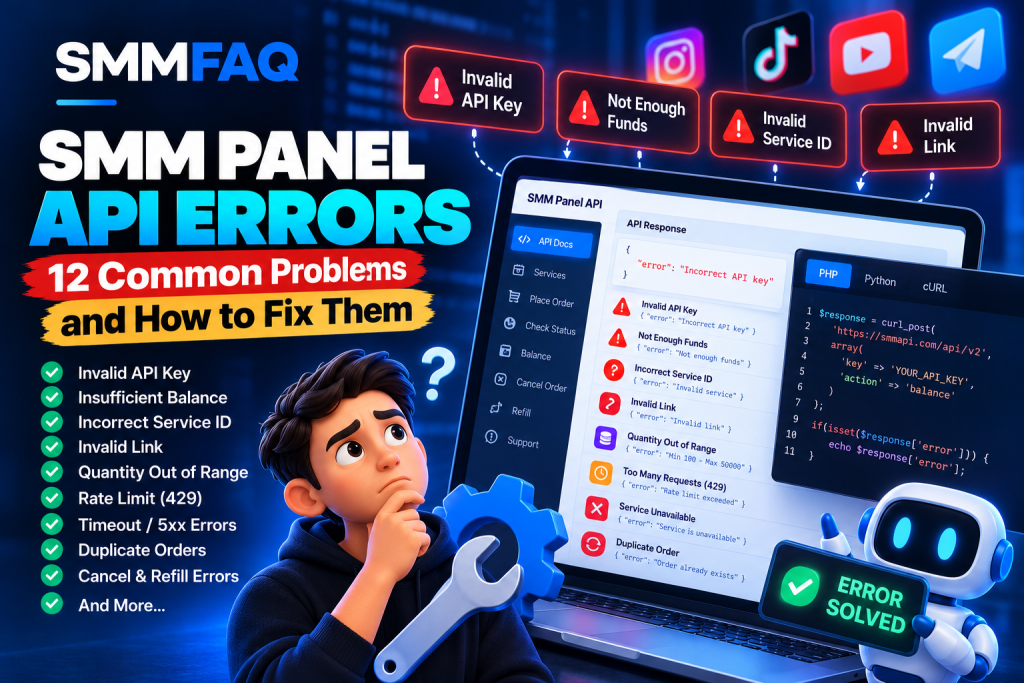
SMM panel API errors can interrupt service synchronization, prevent orders from being created, produce incorrect status information, or cause unexpected failures in reseller integrations.
Whether you are connecting an SMM panel to an upstream provider, developing a reseller dashboard, or maintaining automated order processing, understanding API error messages is essential.
Common problems include:
- Incorrect API key
- Invalid service ID
- Not enough funds
- Invalid link
- Quantity out of range
- Incorrect order ID
- Missing API parameters
- Too many requests
- Service unavailable
- Cancellation or refill rejected
- API timeout or connection failure
- Duplicate orders and unexpected charges
Quick answer: Most SMM panel API errors can be diagnosed by checking authentication, request parameters, service availability, account balance, and the provider’s actual JSON response. Importantly, some SMM APIs return an error message with HTTP status 200, so checking the HTTP status code alone is not sufficient.
This guide explains 12 common SMM API errors, their likely causes, how to troubleshoot them, and ways to build more reliable API integrations.
If you are new to API integration, begin with What Is an SMM Panel API? before working through the troubleshooting examples below.
How Do SMM Panel API Errors Work?
Most conventional SMM panel APIs accept requests containing an API key and an action.
Common actions include:
services— retrieve available servicesadd— create an orderstatus— check an orderbalance— retrieve account balancerefill— request eligible replacementcancel— request order cancellation
The exact action names and supported features depend on the provider.
A typical integration follows this structure:
Reseller Panel → API Request → Upstream Provider → JSON Response
When something goes wrong, the upstream API may return an error instead of the expected result.
For example:
{
  "error": "Incorrect API key"
}
But another provider may use different wording:
{
  "error": "Invalid API key"
}
Both can indicate an authentication problem, but the exact meaning must be confirmed using the provider’s documentation.
There is no universal error-code standard shared by every SMM panel.
SMM Panel API Error Codes: Quick Reference Table
The following table summarizes 12 common error categories.
| Error message or category | Likely cause | First action |
|---|---|---|
| Incorrect API key | Invalid or missing credentials | Verify API key and account |
| Not enough funds | Insufficient balance | Check balance and currency |
| Incorrect service ID | Invalid or unavailable service | Refresh the service catalog |
| Invalid link | Unsupported target | Check link and service requirements |
| Quantity out of range | Invalid order quantity | Check minimum and maximum |
| Incorrect order ID | Unknown or incorrect identifier | Verify external order ID |
| Incorrect request | Missing or incorrect parameters | Validate request structure |
| Too many requests / 429 | Rate limit exceeded | Respect retry limits |
| Service unavailable | Disabled service | Check availability |
| Cancel or refill unavailable | Operation not eligible | Check order conditions |
| Timeout / 5xx / connection failure | Network or upstream issue | Investigate before retrying |
| Duplicate order | Repeated request | Reconcile order records |
Important: These are common error categories, not a universal set of numeric codes. Some providers return descriptive messages, while others expose additional fields or HTTP error statuses.
1. Incorrect API Key or Invalid API Key
An authentication error occurs when the provider cannot validate the submitted API credentials.
Example response:
{
  "error": "Incorrect API key"
}
Why This Error Happens
Possible causes include:
- The API key was copied incorrectly.
- The key was regenerated.
- The request omitted the key.
- The wrong provider credentials were used.
- The account is inactive or restricted.
- The request body was encoded incorrectly.
- Credentials were configured for the wrong environment.
Some APIs require the key in a POST form field named key, while others may use a different authentication format.
How to Fix Incorrect API Key
- Open your provider’s official API documentation.
- Confirm the API endpoint and supported authentication method.
- Check that the configured key belongs to the correct provider account.
- Ensure your application actually sends the required authentication field.
- If the key was rotated, update the server-side configuration.
- Make a harmless authenticated request, such as checking the balance, if supported.
Never expose your API key in public screenshots, frontend JavaScript, support forums, or browser-accessible source code.
For WordPress integrations, credentials should remain on the server with access restricted to authorized code and administrators.
2. Not Enough Funds or Insufficient Balance
This error indicates that the provider considers the available account balance insufficient for the requested operation.
Example:
{
  "error": "Not enough funds"
}
Common Causes
An order may fail because:
- The available balance is too low.
- The requested quantity is expensive.
- A price changed after the catalog was imported.
- The application uses outdated pricing.
- Currency conversion or rounding was handled incorrectly.
- The available balance differs from the application’s cached balance.
How to Fix It
First, retrieve the current balance through the provider’s supported balance endpoint.
Example response:
{
  "balance": "12.50",
  "currency": "USD"
}
Next, compare the expected order cost with the available funds.
For example:
Hypothetical service rate: $0.80 per 1,000 units
Requested quantity: 5,000
Estimated cost: $4.00
If the provider balance is $3.00, the order may be rejected.
The simplified calculation is:
Order Cost = (Quantity / 1,000) × Rate per 1,000
Actual provider pricing may include additional conditions or different billing models.
Always treat the provider’s accepted charge as authoritative for that transaction.
Developer tip: Use decimal-safe arithmetic for financial values instead of assuming ordinary floating-point calculations are always exact.
3. Incorrect Service ID or Service Not Found
A service ID error occurs when the provider cannot identify the requested service or does not consider it orderable.
Example:
{
  "error": "Incorrect service ID"
}
Why This Happens
The submitted ID may be:
- Incorrect
- Removed from the catalog
- Temporarily unavailable
- Associated with another provider
- Replaced during service updates
- Incorrectly mapped inside a reseller system
One of the most important concepts is the difference between a reseller’s local service ID and an upstream provider’s service ID.
For example:
Local Service ID: 5001
Upstream Provider Service ID: 738
When a customer selects service 5001, the reseller must send the correct upstream identifier, 738, to the configured provider.
Submitting 5001 directly may produce an error.
How to Fix Incorrect Service ID
Refresh the provider’s current service catalog.
Check that:
- The service still exists.
- The service ID belongs to the selected provider.
- The service is enabled.
- The local-to-provider mapping is correct.
- The provider’s current quantity limits are respected.
Avoid automatically substituting a different service without an explicit, authorized mapping decision.
For more background on service sourcing, read How Do SMM Panels Get Their Services?.
You can also examine catalog attributes in the SMMFAQ Service Comparison Database.
4. Invalid Link or Incorrect Link Error
An invalid link error indicates that a submitted target does not satisfy the requirements of the selected service.
Example:
{
  "error": "Invalid link"
}
Possible causes include:
- Incorrect URL format
- Deleted content
- Private or inaccessible content
- Wrong social platform
- Unsupported target type
- Invalid username
- Empty link parameter
- Redirects to an unexpected destination
Common Link Types
Different categories may require different target formats.
| Platform | Example target type |
|---|---|
| Profile, post or Reel | |
| TikTok | Profile or video |
| YouTube | Video or channel |
| Telegram | Channel, group or message |
| Page, post or video |
A service expecting an Instagram post URL may reject a profile link even when both are valid Instagram addresses.
How to Fix Invalid Link
Verify that the supplied target meets the service documentation.
For authorized integrations, validation should include:
- Required field is not empty.
- URL syntax is valid.
- HTTPS is used where required.
- Hostname matches the expected platform.
- Target type matches the selected service.
- Target is accessible under the service’s stated conditions.
Do not assume that a successful order-creation response proves that the link was valid.
Some providers perform minimal link validation when creating an order and may identify problems later.
Security note: If your backend follows submitted URLs, apply server-side request forgery protections, including blocking private network destinations and validating redirects. Do not fetch arbitrary user-controlled URLs without suitable safeguards.
5. Quantity Out of Range: Minimum and Maximum Errors
SMM services often define minimum and maximum supported quantities.
An API can reject orders that fall outside those limits.
Example:
{
  "error": "Quantity out of range"
}
Other providers may return messages such as:
Min amount is 100Max amount is 50000Invalid quantity
Example
Consider this hypothetical service:
| Field | Value |
|---|---|
| Minimum | 100 |
| Maximum | 50,000 |
| Requested quantity | 75 |
| Result | Below minimum |
The order may fail because 75 is below the stated minimum of 100.
How to Fix Quantity Errors
Retrieve the current service catalog and inspect its min and max fields.
Then validate the quantity before submitting an order.
Be careful with special service types.
Some package-based services use fixed quantities, while custom-comment or other specialized services may require additional parameters.
Not every service accepts the standard quantity field in the same way.
Always consult the provider’s current documentation.
6. Incorrect Order ID Error
An incorrect order ID error usually appears when an application requests information for an unknown or invalid order.
Example:
{
  "error": "Incorrect order ID"
}
Possible Causes
- The requested order ID is incorrect.
- The application used the local ID instead of the upstream ID.
- The order belongs to another API account.
- The provider did not accept the original order.
- The stored order mapping is incorrect.
- The requested operation uses a different identifier, such as a refill ID.
How to Fix Incorrect Order ID
Review the original order-creation response.
For example:
{
  "order": 123456
}
If the provider returned order ID 123456, store that value as the external provider order ID.
Your internal database might use a completely different identifier.
For example:
| Identifier | Value |
|---|---|
| Customer-facing order ID | 70001 |
| Provider order ID | 123456 |
| Provider | Provider A |
When checking status, use the provider’s order ID with the corresponding upstream account.
A successful status lookup should not be assumed merely because an internal order exists.
7. Incorrect Request or Missing Parameters
This is a general validation error.
Example:
{
  "error": "Incorrect request"
}
It may indicate that the API request was incomplete or incorrectly formatted.
Common Reasons
- Missing API key
- Missing action
- Unsupported action
- Missing service ID
- Missing link
- Invalid parameter type
- Wrong HTTP method
- Unsupported request encoding
- Incorrect API endpoint version
Example Request Structure
Many API v2 implementations support POST requests using form-encoded fields.
For example:
curl --request POST "https://example.com/api/v2" \
  --data-urlencode "key=YOUR_API_KEY" \
  --data-urlencode "action=balance"
example.com is a placeholder. Replace it with the provider’s documented API endpoint.
Some providers accept JSON requests, while others expect standard form fields.
Sending JSON to a form-only API may cause the provider to treat required parameters as missing.
How to Fix Incorrect Request
Verify the required HTTP method, endpoint, request encoding, field names, and parameter values.
Start with a documented read-only action.
Then compare the application-generated request against a known valid example.
Avoid testing order creation until request formatting and authentication are working correctly.
8. Too Many Requests or HTTP 429
Rate limiting helps API providers protect their infrastructure.
If an integration sends more requests than the provider permits, it may receive an error.
Possible responses include:
{
  "error": "Too many requests"
}
Or an HTTP response such as:
HTTP/1.1 429 Too Many Requests
Retry-After: 30
Why Rate Limit Errors Happen
Common causes include:
- Excessive status polling
- Large batches of requests
- Multiple workers using the same API key
- Retry loops without delays
- Repeated failed requests
- Several reseller installations sharing one account
How to Fix Rate Limit Errors
Use a centralized rate limiter.
Where supported, combine status lookups into bulk requests.
Respect documented quotas and any Retry-After header.
Use exponential backoff with jitter for retryable operations.
However, retry rules need to distinguish between read-only requests and operations that create orders or charge balances.
Important: Do not blindly retry an order-creation request when it is unknown whether the original request was accepted.
9. Service Not Available or Service Disabled
A service can disappear from a provider catalog or become temporarily unavailable.
Possible error messages include:
{
  "error": "Service is unavailable"
}
Why This Happens
Potential causes include:
- Provider maintenance
- Catalog changes
- Temporary supply interruption
- Service suspension
- Removed categories
- Changed quantity restrictions
A reseller may continue displaying a previously synchronized service even after it becomes unavailable upstream.
This is known as a stale catalog problem.
How to Fix Service Availability Errors
Refresh the provider catalog and examine the current service information.
If the service is unavailable:
- Stop submitting new requests for that service.
- Update its availability in your local catalog.
- Record the provider error and timestamp.
- Review existing orders separately.
- Wait for a documented resolution or choose another approved provider configuration.
Do not silently redirect customers to a different underlying service without appropriate disclosure and authorization.
10. Cancel Not Available or Refill Request Rejected
Cancellation and refill are not universally available operations.
A provider may reject requests because the service does not support them or the order does not meet eligibility requirements.
Example:
{
  "error": "Cancel is not available"
}
Possible causes include:
- The service does not support cancellation.
- The order is already completed.
- The order has started and can no longer be stopped.
- The wrong order ID was submitted.
- The refill period has expired.
- The order is not eligible for refill.
- The provider requires a different request structure.
How to Fix It
Inspect the service’s published cancel and refill fields, where supported.
Then verify the current order status and relevant service terms.
A catalog value of cancel: true generally means that cancellation is a supported feature. It does not guarantee every order can be canceled at any moment.
Similarly, refill: true does not mean replacement is unconditional.
For a detailed explanation, see What Does Refill Mean in an SMM Panel?.
11. API Timeout, Connection Error or HTTP 5xx
Not every API problem generates a structured JSON error.
A request can fail because of network or server issues.
Typical symptoms include:
- Connection timeout
- DNS resolution failure
- TLS certificate error
- HTTP 502 Bad Gateway
- HTTP 503 Service Unavailable
- HTTP 504 Gateway Timeout
- Empty response body
- Invalid JSON response
Why This Matters
Consider the following situation:
- A reseller sends an order-creation request.
- The upstream provider accepts the order.
- The network connection fails before the response arrives.
- The reseller receives a timeout.
- The reseller does not know whether the order was created.
This is an ambiguous outcome.
Automatically sending the same order again may result in a duplicate purchase.
How to Troubleshoot Timeouts
First, record the local transaction identifier, request timestamp, endpoint, and failure details.
Determine whether the provider supports idempotency keys or another documented method of identifying an existing request.
If supported, use that mechanism to resolve the outcome.
Otherwise, reconcile the order through authorized provider records or support before repeating the create request.
Read-only requests, such as retrieving service information, can often be retried more safely than financial or order-creation operations.
Never assume that a timeout proves the request was rejected.
12. Duplicate SMM Orders and Unexpected Double Charges
Duplicate orders can occur when the same order-creation operation is submitted more than once.
This may happen because of:
- Automatic retries after timeouts
- Multiple background workers
- Duplicate webhook processing
- Repeated button clicks
- Queue redelivery
- Missing transaction-state checks
Example Scenario
A reseller receives one customer order.
The local system submits it to the provider.
The provider accepts the request, but the response is lost.
The reseller retries the request without verifying the original outcome.
The provider may create a second order.
The result can be two upstream orders for one customer request.
How to Prevent Duplicate Orders
Use a unique local transaction identifier for each intended order.
Store the current transaction state in a persistent database.
Use appropriate locking or uniqueness constraints to prevent simultaneous submission by multiple workers.
If the upstream API supports documented idempotency keys, use them correctly.
If it does not support idempotency, do not assume that adding an arbitrary header will prevent duplicates.
An effective order-creation state model might include:
| State | Meaning |
|---|---|
| Created | Local order recorded |
| Submitting | Request is being sent |
| Confirmed | Upstream order ID received |
| Rejected | Provider explicitly rejected request |
| Unknown | Request outcome uncertain |
| Reconciled | Unknown outcome investigated |
The Unknown state is especially important.
Without it, applications sometimes treat network failures as confirmed rejections.
That can cause unnecessary retries and financial problems.
Why Some SMM APIs Return HTTP 200 for Errors
One of the most important technical details is that an HTTP 200 response does not always indicate a successful SMM operation.
Consider this response:
HTTP/1.1 200 OK
Content-Type: application/json
{
"error": "Not enough funds"
}The HTTP status suggests the server successfully handled the HTTP request.
But the application-level response indicates the attempted operation failed.
Several SMM API implementations document this behavior.
Therefore, API clients must examine both:
1. HTTP status: Did the server respond successfully at the transport/protocol level?
2. Response body: Did the requested business operation succeed?
For order creation, a typical successful response might be:
{
  "order": 123456
}
The presence of a valid order identifier can indicate that the provider accepted the order, according to its API contract.
However, accepting an order is not the same as completing fulfillment.
PHP Example: Safely Checking an SMM API Response
The following example performs a read-only balance request using a generic form-encoded SMM API.
It checks the HTTP status, JSON structure, and API-level errors.
<?php

$apiUrl = getenv('SMM_API_URL');
$apiKey = getenv('SMM_API_KEY');

if (!$apiUrl || !$apiKey) {
    throw new RuntimeException('Missing API configuration');
}

$ch = curl_init($apiUrl);

curl_setopt_array($ch, [
    CURLOPT_POST => true,
    CURLOPT_POSTFIELDS => http_build_query([
        'key' => $apiKey,
        'action' => 'balance'
    ]),
    CURLOPT_RETURNTRANSFER => true,
    CURLOPT_CONNECTTIMEOUT => 5,
    CURLOPT_TIMEOUT => 15,
    CURLOPT_HTTPHEADER => [
        'Accept: application/json'
    ],
]);

$response = curl_exec($ch);
$httpCode = curl_getinfo($ch, CURLINFO_HTTP_CODE);
$curlError = curl_error($ch);

curl_close($ch);

if ($response === false) {
    throw new RuntimeException(
        'Connection error: ' . $curlError
    );
}

$data = json_decode($response, true);

if (!is_array($data)) {
    throw new RuntimeException('Invalid JSON response');
}

if ($httpCode < 200 || $httpCode >= 300) {
    throw new RuntimeException(
        'HTTP error: ' . $httpCode
    );
}

if (isset($data['error'])) {
    throw new RuntimeException(
        'API error: ' . (string) $data['error']
    );
}

if (!isset($data['balance'], $data['currency'])) {
    throw new RuntimeException(
        'Unexpected balance response'
    );
}

echo 'Balance: ' . $data['balance'];
echo ' ' . $data['currency'];
Important Implementation Notes
- Keep the API key on the server.
- Use HTTPS and retain TLS certificate verification.
- Configure request timeouts.
- Never expose credentials in error messages or public logs.
- Validate the response structure.
- Use the provider’s documented request encoding.
- Avoid making arbitrary external API endpoints configurable by untrusted users.
This is an illustrative integration example. Authentication, response fields, and other requirements may differ across providers.
Python Example: Detecting SMM API Errors
Python applications can follow the same approach.
The following example uses the requests library to retrieve an account balance.
import os
import requests

api_url = os.environ["SMM_API_URL"]
api_key = os.environ["SMM_API_KEY"]

payload = {
    "key": api_key,
    "action": "balance"
}

try:
    response = requests.post(
        api_url,
        data=payload,
        timeout=(5, 15)
    )

    response.raise_for_status()

    data = response.json()

    if not isinstance(data, dict):
        raise ValueError("Unexpected response format")

    if "error" in data:
        raise ValueError(
            f"API error: {data['error']}"
        )

    if "balance" not in data:
        raise ValueError("Missing balance field")

    print("Balance:", data["balance"])
    print("Currency:", data.get("currency", "Unknown"))

except requests.Timeout:
    print("The API request timed out")

except requests.ConnectionError:
    print("Connection error")

except requests.HTTPError as error:
    print("HTTP error:", error.response.status_code)

except requests.exceptions.JSONDecodeError:
    print("Invalid JSON response")

except ValueError as error:
    print(error)
This example deliberately uses a read-only operation.
For order creation, application developers must additionally handle uncertain outcomes, duplicate prevention, and transaction reconciliation.
Do not place live credentials directly inside source files that may be published or shared.
How to Build an SMM API Error Monitoring System
For resellers operating several API connections, error monitoring is an important part of reliability.
A basic monitoring system can record:
| Field | Purpose |
|---|---|
| Provider ID | Identify the upstream connection |
| Local order ID | Track the reseller order |
| External order ID | Track the provider order |
| API action | Identify the requested operation |
| HTTP status | Detect transport or server errors |
| Error category | Group similar failures |
| Response timestamp | Measure freshness |
| Retry count | Identify repeated attempts |
| Transaction state | Prevent duplicate operations |
Avoid storing complete responses if they contain secrets or personal information that are unnecessary for troubleshooting.
Recommended Monitoring Categories
Authentication errors: Investigate API key and account configuration.
Validation errors: Examine request parameters.
Financial errors: Verify balance and applicable rates.
Availability errors: Review the provider catalog.
Network errors: Investigate connectivity and uncertain outcomes.
Rate-limit errors: Reduce request frequency.
Order synchronization errors: Compare local and upstream order records.
Categorizing errors makes it easier to distinguish temporary interruptions from configuration problems.
How SMMFAQ Helps With API Research
SMMFAQ provides independent research tools for examining SMM providers, service catalogs, and technical concepts.
Although SMMFAQ is not a live diagnostic tool for private third-party API accounts, its resources can help developers better understand provider differences.
Compare Service Catalog Fields
Use the SMMFAQ Service Comparison Database to examine available catalog information.
Fields may include service IDs, rates, categories, minimum quantities, maximum quantities, and advertised refill or cancellation capabilities.
These attributes can help identify potential mismatches between a local catalog and published provider data.
However, a catalog comparison does not replace checking the provider’s live authenticated API.
Understand Provider Relationships
A reseller may use a different upstream provider for each service category.
Read How Do SMM Panels Get Their Services? to understand how source changes, reseller mappings, and supplier relationships work.
Understand Order Processing Problems
Not every order issue is caused by an API validation error.
An accepted order can later remain Pending or Processing because of upstream fulfillment problems.
For a separate operational troubleshooting guide, read SMM Panel Order Stuck in Processing? 9 Common Causes and Solutions.
Explore Provider Information
The SMMFAQ Provider Research Directory provides additional context about SMM provider profiles and available information.
Remember that publicly synchronized catalog data does not establish fulfillment quality, ownership of a service, or compliance with social media platform policies.
Frequently Asked Questions About SMM Panel API Errors
Why is my SMM panel API not working?
Common causes include incorrect API credentials, invalid endpoints, unsupported request formats, rate limits, provider outages, and connection failures. Begin with a documented read-only request to narrow down the problem.
What does Incorrect API key mean?
It generally means the API could not authenticate the supplied credentials. Check the key, account status, endpoint, and required request format.
How do I fix Not enough funds on an SMM API?
Retrieve the account balance, verify the order cost and currency, and check for price changes. Add sufficient funds only after confirming the intended transaction and provider requirements.
Why does my SMM API say Incorrect service ID?
The requested service may not exist, may have been removed, or may be mapped incorrectly. Refresh the provider catalog and verify the upstream service identifier.
What causes an Invalid link error?
Possible causes include incorrect URL structure, wrong target type, deleted content, inaccessible accounts, or platform mismatches.
Can an SMM API return an error with HTTP 200?
Yes. Some providers return application-level errors as JSON with HTTP 200. Always inspect the response body instead of relying only on the HTTP code.
What does HTTP 429 mean in an SMM API?
It indicates that requests are being rate-limited. Check the provider’s request limits, reduce polling frequency, and respect retry instructions.
Should I automatically retry failed SMM orders?
Not always. If an order-creation request times out, the provider may still have accepted it. First resolve the uncertain outcome to avoid creating duplicate orders.
What is the difference between a local order ID and an external order ID?
The local ID identifies the order inside your own system. The external ID identifies the corresponding order at the upstream provider. They are often different.
Can a service ID change after an API catalog update?
Yes. Services may be removed or replaced, and reseller mappings can change. Always verify current upstream identifiers rather than assuming catalog entries remain permanent.
Why is my cancellation request rejected?
The order may already be completed, the service may not support cancellation, or the order may be ineligible under the provider’s conditions.
Does a successful API response mean an order is completed?
No. A successful order-creation response usually indicates acceptance, not completed delivery. Fulfillment status must be checked separately.