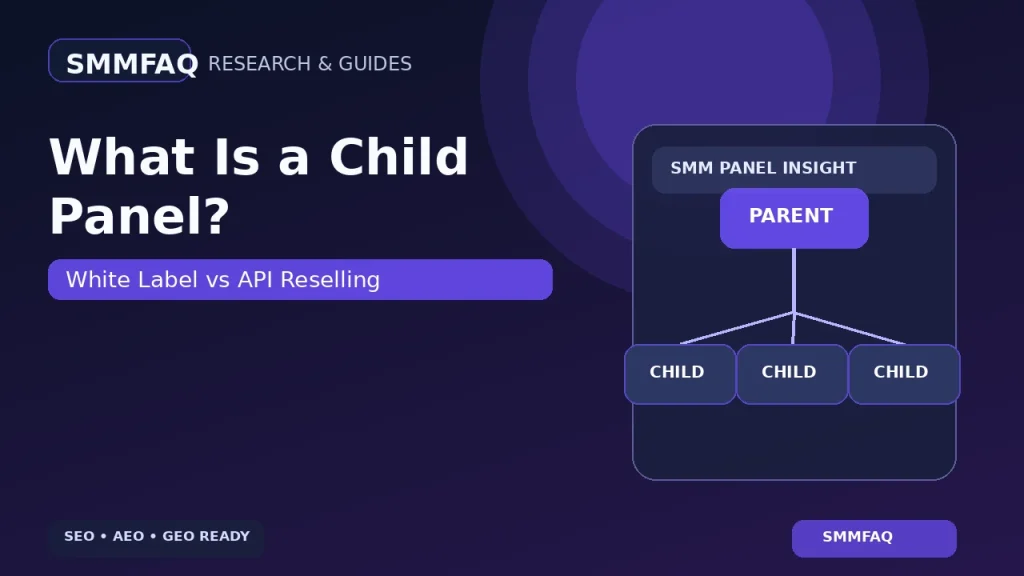
A child panel is one of the fastest ways to launch a branded SMM storefront, but the simplicity comes from dependency: the parent panel usually controls the infrastructure, catalog and much of the order flow behind your brand.
Quick answer: a child panel is a white-label SMM panel hosted by a parent provider. You typically use your own domain, logo and retail pricing while relying on the parent for software and supply.
How a Child Panel Works
The customer sees your brand. Behind the scenes, the child panel is connected to the parent environment. When a customer places an order, the parent infrastructure may process the service request and deduct the corresponding wholesale amount from the reseller relationship.
Child Panel vs Independent Reseller Panel
| Feature | Child panel | Independent reseller panel |
|---|---|---|
| Hosting | Usually parent-controlled | You or your SaaS/script provider |
| Branding | Your domain/logo | Your domain/logo |
| Providers | Often parent-only | Usually multiple API providers |
| Software maintenance | Parent handles it | You or your platform handles it |
| Technical setup | Low | Low to high depending on platform |
| Portability | Limited | Generally higher |
| Failure dependency | Parent outage affects you | Can be reduced with multiple providers |
Child Panel vs API Reselling
API reselling describes the supply relationship, not the storefront type. An independent panel can connect to several providers using API v2. A child panel may expose only the parent’s catalog and may not let you add a second supplier.
For API basics, see What Is an SMM Panel API?.
What Does a Child Panel Cost in 2026?
Current public offers vary. PanelCompare reported a rough market range around $10–$30 per month for many child-panel products in September 2026, while individual providers advertise different prices and free tiers. Treat those figures as examples, not a universal rate.
Your real cost also includes the domain, provider balance, payment fees, customer support and any marketing or tax obligations that apply to your business.
The Biggest Risk: Single-Parent Dependency
The main operational weakness is concentration. If your child panel cannot add other providers, a parent outage, price increase or catalog removal becomes your outage, price increase or catalog removal.
This is easier to understand after reading How Do SMM Panels Get Their Services?.
What You Control — and What You May Not
- Usually controllable: branding, domain, retail prices and customer-facing content.
- May be limited: provider choice, backend modules, API access, payment integrations, currencies and automation features.
- Parent-dependent: software updates, infrastructure availability and often the underlying service catalog.
When a Child Panel Makes Sense
A child panel can make sense when the goal is to validate demand quickly, learn the workflow and avoid server maintenance. It is less attractive when you need multi-provider routing, custom backend development or strong infrastructure independence.
When an Independent Panel Makes More Sense
If you already have customers, expect meaningful order volume or want to compare several upstream providers, an independent panel can offer more control. That control also creates more responsibility for software, security, payments and provider management.
The broader business setup is covered in How to Start an SMM Panel in 2026.
Child Panel Does Not Mean “Main Provider”
The existence of a white-label product says nothing by itself about whether the parent produces services directly. Parent panels can also be resellers or aggregators. For provider terminology, read What Is an SMM Panel Provider?.
Child Panel Architecture in Plain English
A child panel separates the customer-facing brand from much of the backend infrastructure. Your domain and logo can be different, but the parent usually controls the application, order engine and upstream catalog.
A simplified flow looks like this:
Customer → Your child-panel domain → Parent panel infrastructure → Upstream service route
This explains both the attraction and the limitation. Setup is fast because the parent already solved much of the technical work. Dependency is high for the same reason.
What White Label Usually Means
White label normally means customers see your brand instead of the parent’s brand. It does not necessarily mean you own the software, the provider relationships or the customer database. Before paying, ask exactly which assets are portable.
- Can you export users?
- Can you export orders?
- Can you export transaction history?
- Can you keep the same domain if you leave?
- Can you connect external providers?
- Can you change payment gateways?
How Profit Works on a Child Panel
Assume the parent charges you $1.00 per 1,000 for a service and you list it at $1.40. The gross markup is $0.40. Your actual profit is lower after customer payment fees, support costs, failed orders and any taxes or operating expenses.
The parent can also change the wholesale rate. If it rises from $1.00 to $1.25 and your retail price remains $1.40, the margin falls sharply. This is why automatic pricing rules and alerts matter.
Provider Lock-In Is More Important Than the Monthly Fee
Beginners often focus on whether the child panel costs $10, $20 or $30 per month. The more important question is whether you can change suppliers. A cheap panel with no provider flexibility can become expensive if its parent’s rates or quality no longer fit your business.
Payments on a Child Panel
Some child-panel systems let you configure your own payment methods; others restrict available gateways or require the parent’s ecosystem. This matters because your audience may need cards, crypto or local rails that the parent does not support.
Review SMM Panel Payment Methods before choosing a platform solely on storefront price.
Support Responsibility Does Not Disappear
Your customer sees your brand, so your customer expects you to solve the problem. Even if the parent caused a delay, you still need to explain order status, refill rules and balance adjustments. A child panel removes technical work; it does not remove customer-service responsibility.
Data and Account Ownership Questions
Ask where user data is stored, who can access it, how backups work and what happens if your parent account is suspended. If you cannot export customer and order data, migration later can be difficult.
When to Graduate From a Child Panel
A child panel is often a sensible validation tool. Consider moving to a more independent setup when one or more of these become true:
- You need several upstream providers.
- Your order volume makes parent-only pricing uncompetitive.
- You need custom payment methods or currencies.
- You need direct API control.
- You need custom modules or automation.
- You want stronger data portability and infrastructure independence.
Migration Path From Child Panel to Independent Panel
- Export customer and order data if available.
- Choose new software and hosting.
- Connect and test providers.
- Map old service categories to new IDs.
- Configure payments.
- Keep the old panel accessible during transition.
- Move customer traffic only after testing login, balance and order workflows.
Child Panel vs “Main Provider” Marketing
Buying a child panel from a company does not prove that the company is an original service source. It proves the company can provision a branded reseller environment. Provider status must be researched separately at the service level.
How to Use This Guide in Practice
Use this article as a research framework rather than as a permanent promise about any individual panel. Save the service name, policy wording, date and evidence that supports your decision. If a panel changes its catalog, provider, payment method or terms, update your conclusion instead of assuming the old information still applies.
For high-value decisions, compare at least two independent sources and verify the current information directly on the relevant website. SMMFAQ’s Panel Directory can help with discovery, while individual service, API and provider guides provide context for interpreting what you find.
What to Document
- The exact page or service you checked
- The date and time of the observation
- Any payment, refill, cancel or delivery terms that influenced the decision
- Whether the claim came from the panel itself or from an independent source
- What remains unknown because it requires an authenticated account or paid test
This evidence-first approach is especially important in SMM research because service catalogs can change quickly and one panel can use several upstream providers at the same time.
Child Panel Due-Diligence Checklist
- Confirm who owns and controls the domain.
- Ask whether customer and order data can be exported.
- Check whether provider changes are possible.
- Confirm which payment gateways can be connected.
- Ask what happens if the parent account is suspended.
- Check whether prices update automatically when the parent changes rates.
- Confirm which features are removed from the full platform.
- Read the cancellation policy for the child-panel subscription itself.
Common Beginner Misunderstandings
A child panel is not a separate supply network simply because it has a separate domain. It is also not automatically a “main provider,” and buying one does not remove the need to understand service descriptions, refill rules or support. The product mainly reduces the technical barrier to running a branded storefront.
That can be valuable. The mistake is treating convenience as independence. When evaluating a child panel, compare the monthly fee with the longer-term cost of provider lock-in, limited integrations and migration difficulty.
Questions About Domain and Brand Control
Before launch, confirm whether the domain is registered in your own account and whether DNS can be moved later. Your brand should not become inaccessible simply because you stop using the parent service. Also check whether email, analytics and search-console access are under accounts you control.
These details matter if the child panel is only the first stage of a longer-term brand. A portable domain and independent analytics history make future migration much easier.
Frequently Asked Questions
What is a child panel in SMM?
A child panel is a white-label storefront that runs on a parent panel’s infrastructure, usually under the reseller’s own domain and branding.
Is a child panel the same as an API reseller panel?
No. A child panel is typically hosted and controlled by the parent. An independent reseller panel can usually connect to multiple providers through API.
How much does a child panel cost?
Public 2026 examples commonly advertise roughly $10–$30 per month, but pricing, features and provider lock-in vary widely.
Can a child panel use multiple providers?
Many child-panel products are tied to the parent panel’s catalog. Confirm this before buying because multi-provider support is a major operational difference.
Who should use a child panel?
It can suit a beginner testing demand with low technical overhead, but established operators may prefer more control, provider choice and portability.